Academic Works
A collection of coursework from my Computer Systems Technology diploma at Durham College.
Select a project
Choose a project to view details.
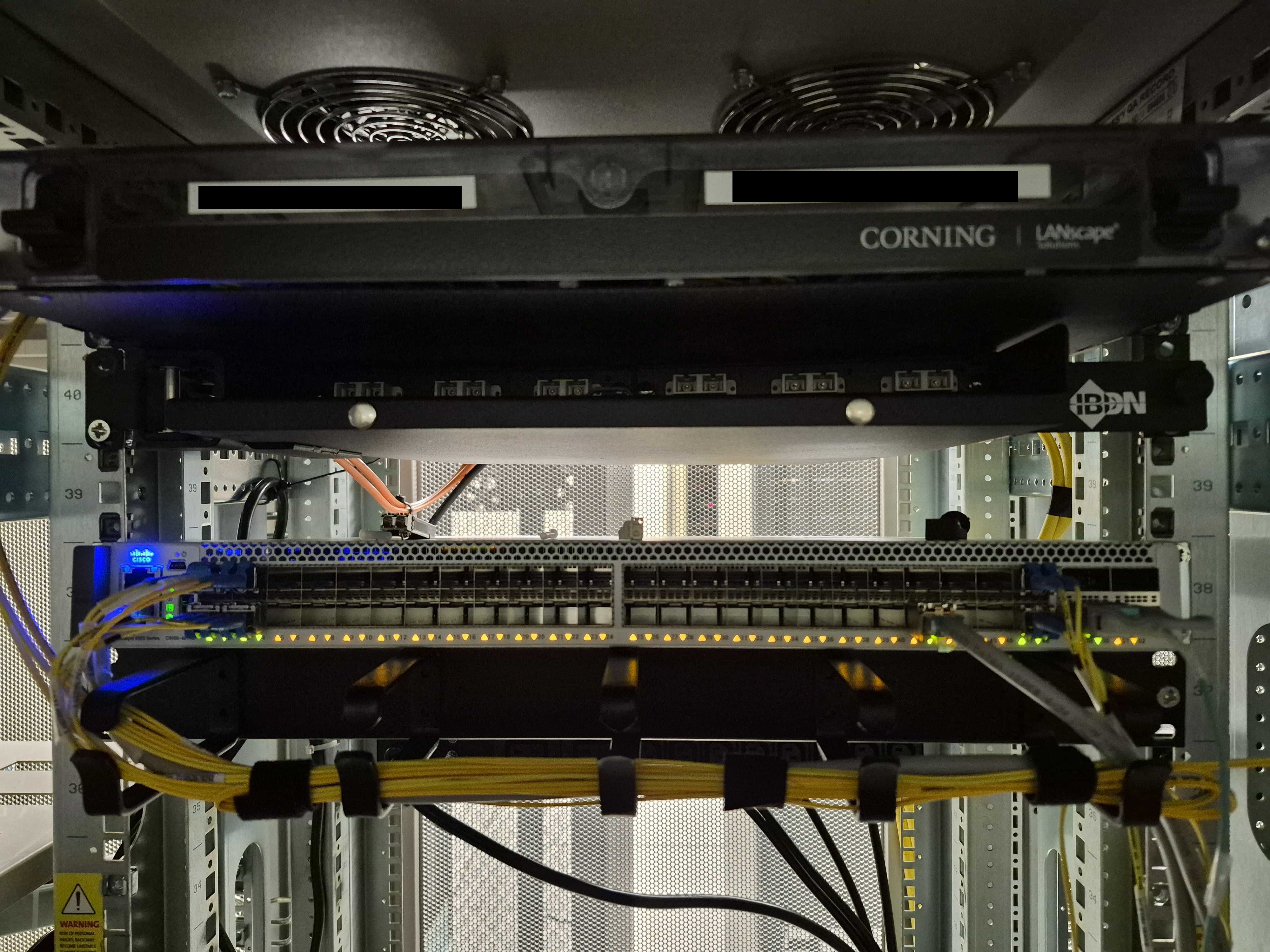
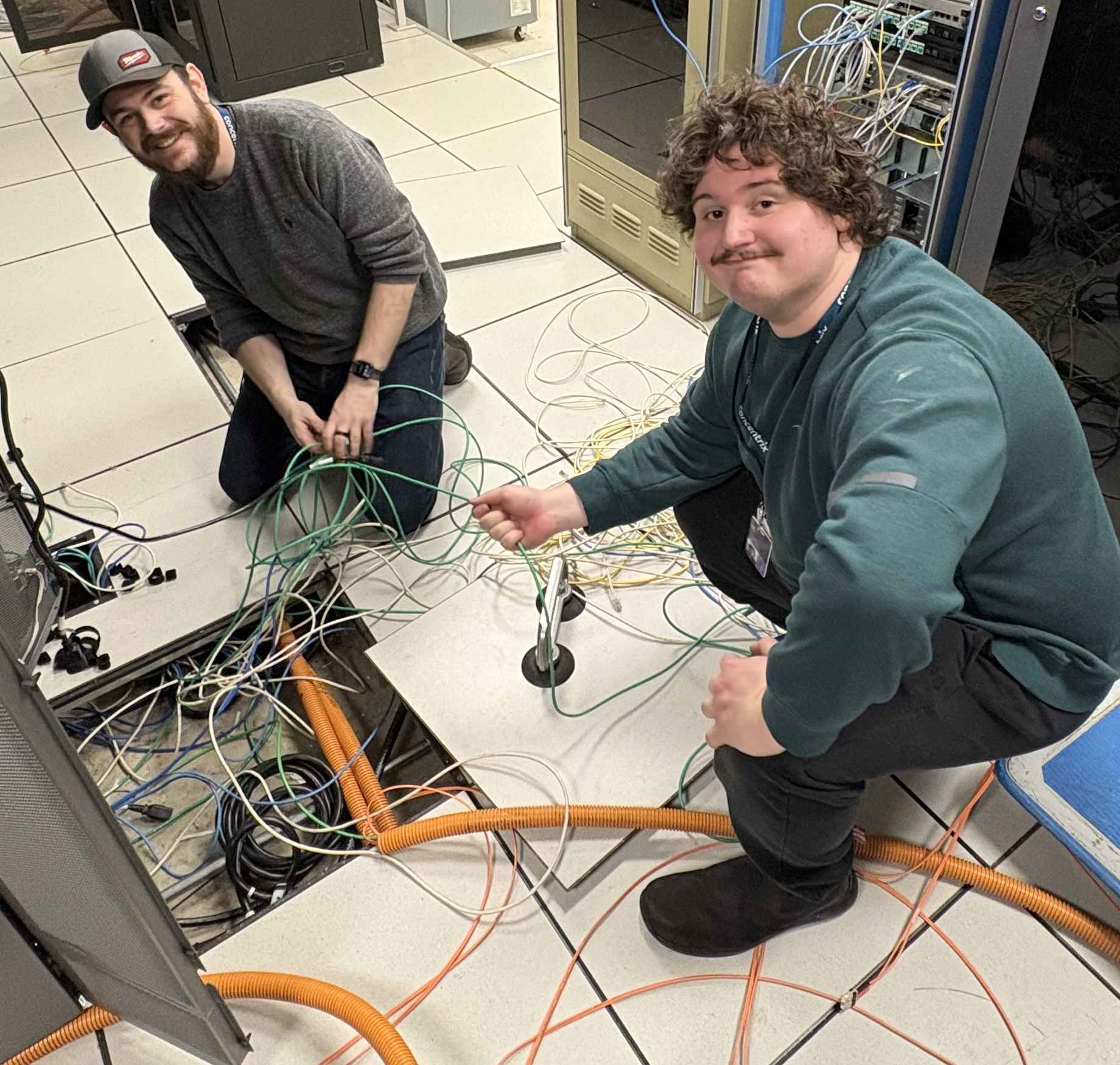
Emergency Call Centre Network Refresh
InternshipOverview
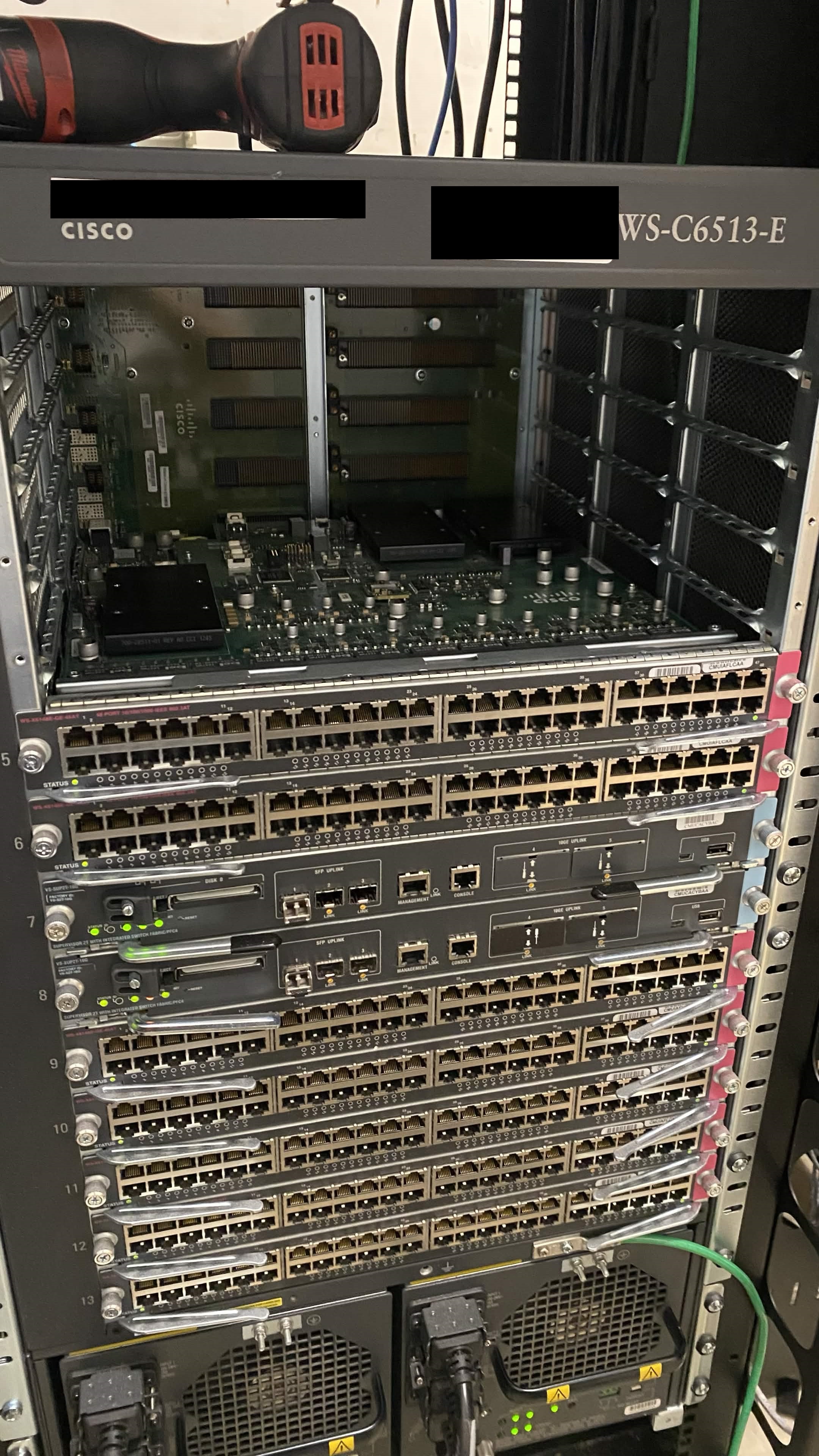
Worked with Cisco devices such as Cisco ASR 1000 series routers, Catalyst 9000 series switches, and older 6500 Chassis. Worked with infrastructure specialists to refit the call centre datacentre for the modern day, and reduce the footprint of the network infrastructure with more modern efficient hardware. Tasks included imaging switches, configuring OOB Opengear devices, cabling and racking new equipment.
What I Learned
Working alongside infrastructure professionals taught me the standards to which work must be done to acheive the best outcomes. I also learned about scoping a project, having goals in mind, and understanding when an additional task might take too long to be feasible.
Screenshots
3D Printing Logo Art
InternshipOverview
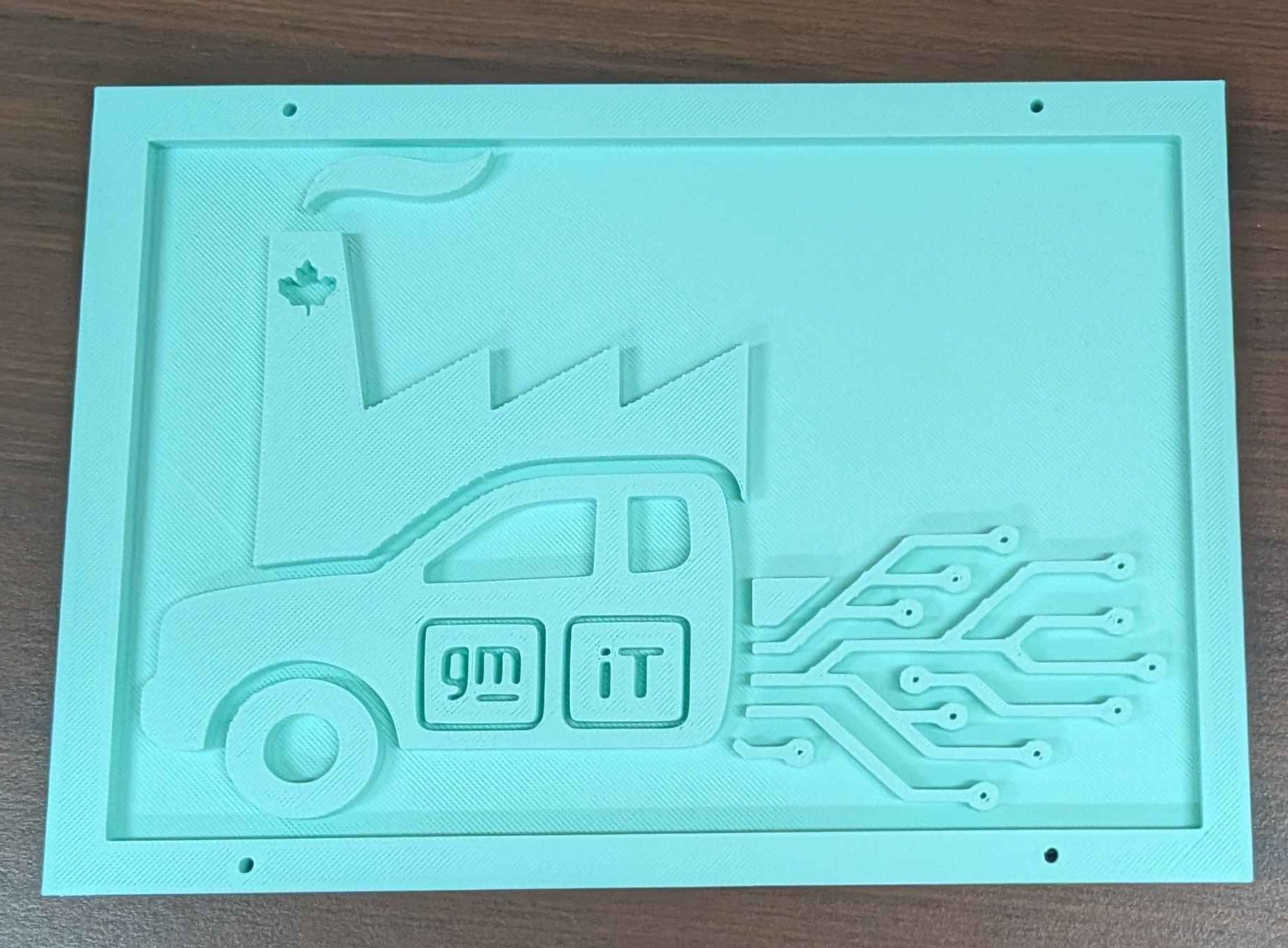
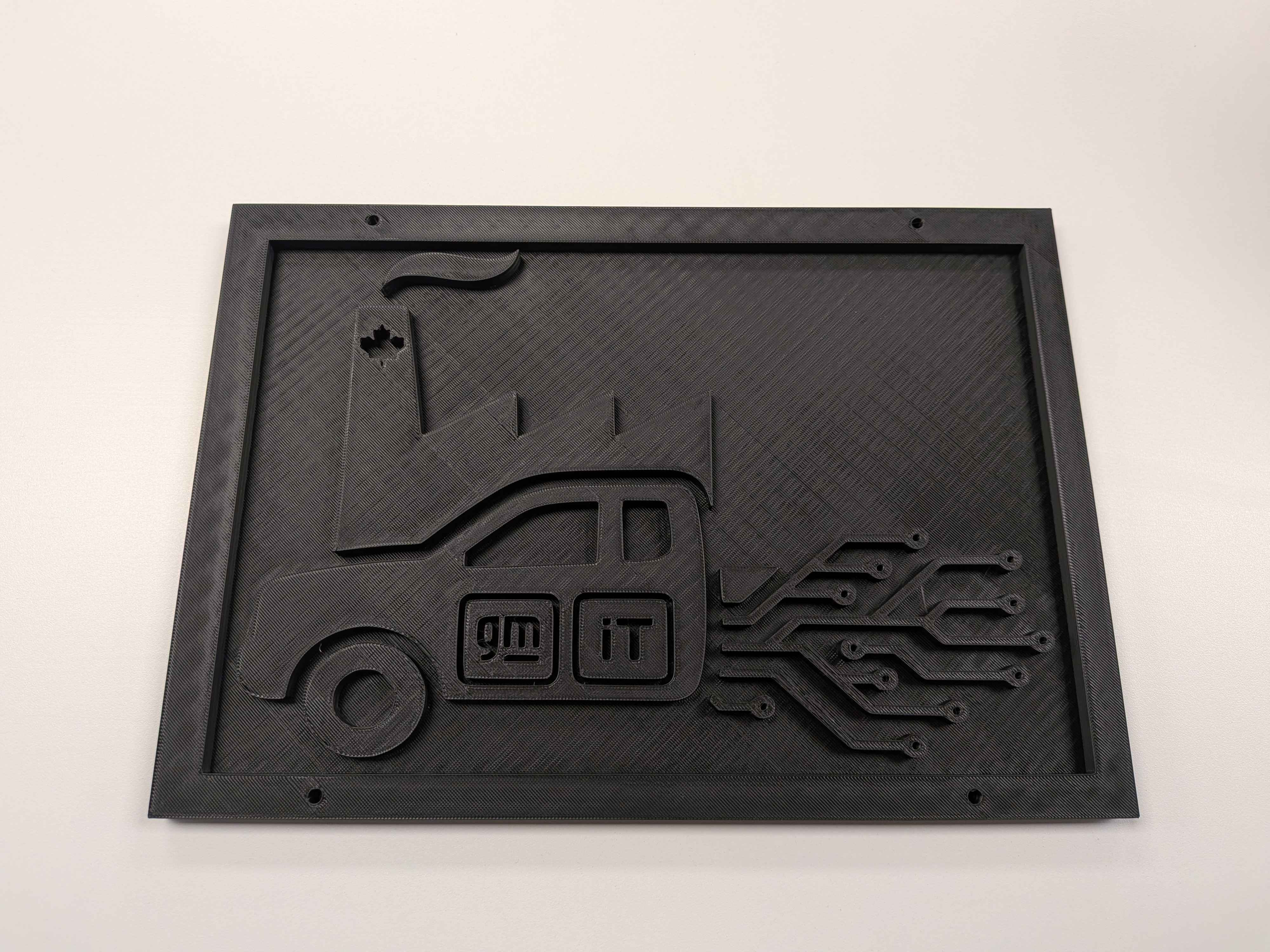
While working at GM we were provided unfettered access to two Creality K1 Max printers. I taught myself how to use Fusion 360 to create 3D shapes, and modify those shapes to create a logo plaque for my department, Oshawa Assembly IT.
What I Learned
I initially underestimated the challenge 3D printing poses, not just making the 3D model itself but getting the layers to form correctly for the exact object you are making. Patience is a virtue when dealing with this craft, though the built in camera does help with diagnosing issues with build quality.
Screenshots
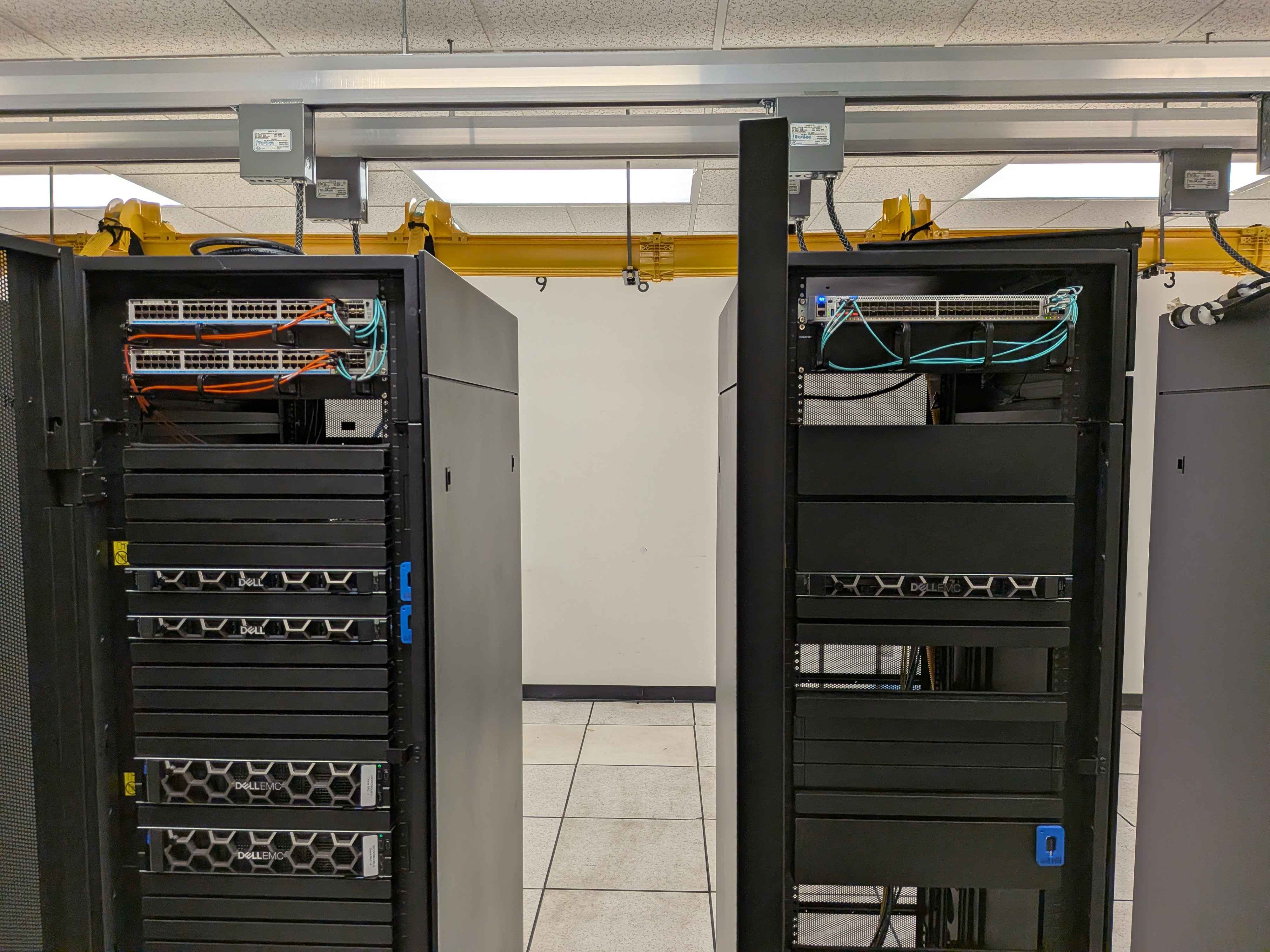
New Application Server Provisioning
InternshipOverview
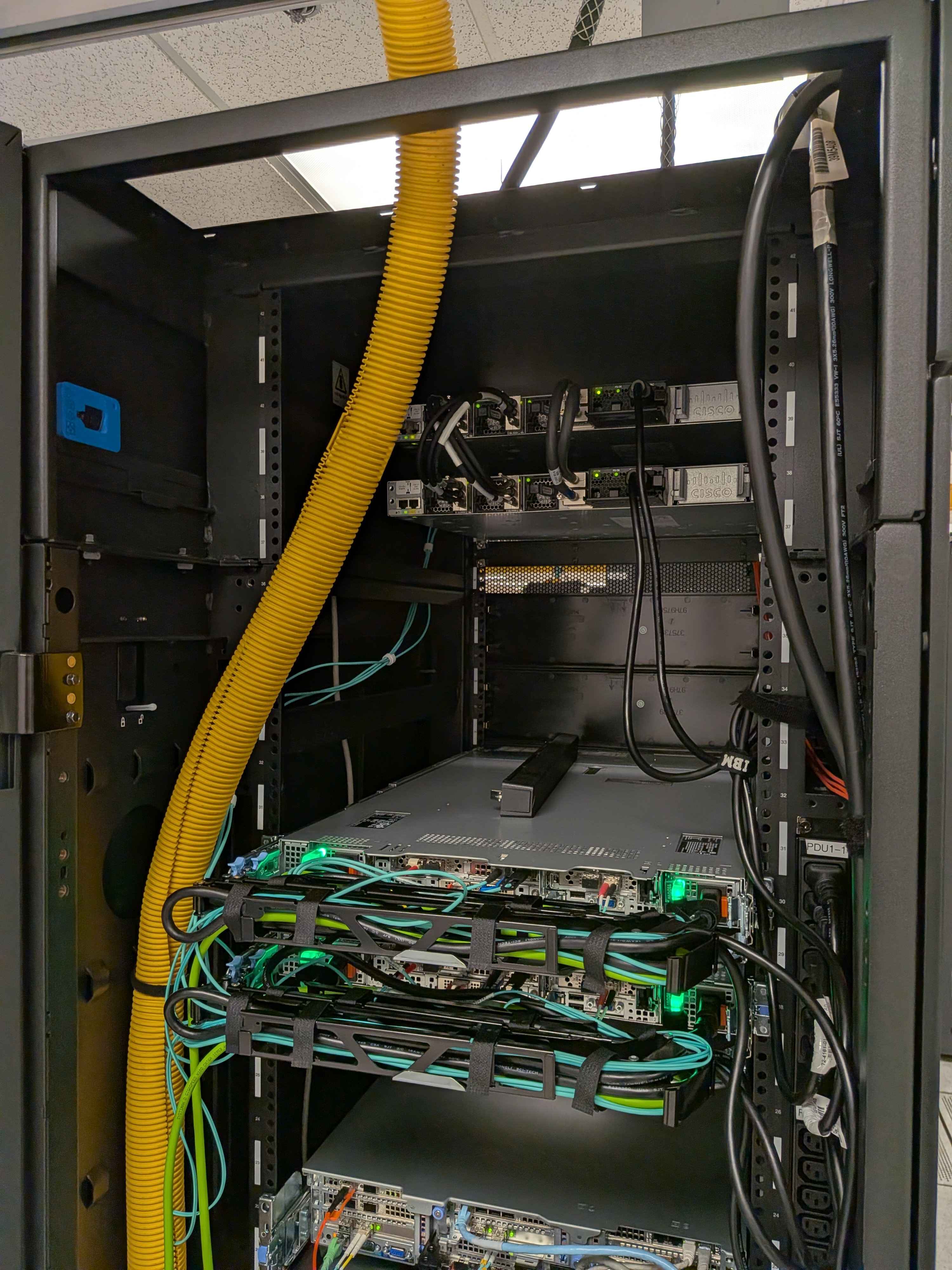
Four new application servers and two new top of rack (TOR) switches needed to be imaged, cabled and configured. I was tasked with racking, cabling and labeling the servers and switches provided an explanation & cut sheet. I executed the cut sheet with precision, and the new servers were cabled to spec including running new copper iDRAC cables to each LAN core and included redundant power supplies for maxmimum diversity.
What I Learned
I gained familiarity with enterprise networking environment concepts such as core stacks, distribution hubs and fibre panel patch throughs. The specialist who entrusted me with this project provided lots of documentation to follow which definitely took some of the pressure off memorization. I used my creativity to modify my plans on the fly to get the work done.
Screenshots
Dual-WAN Circuit with Layer 2 Concepts - Data Communications II
NetworkingOverview
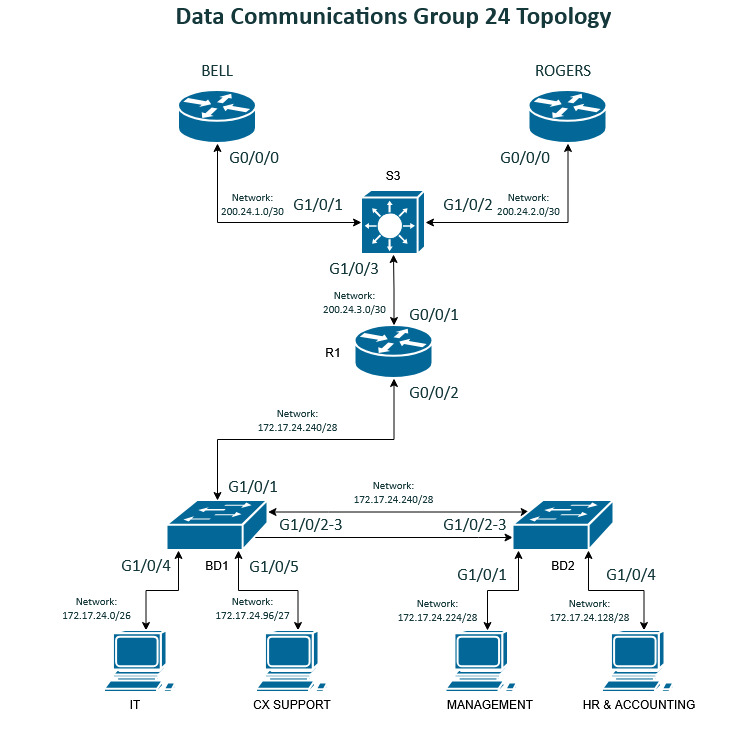
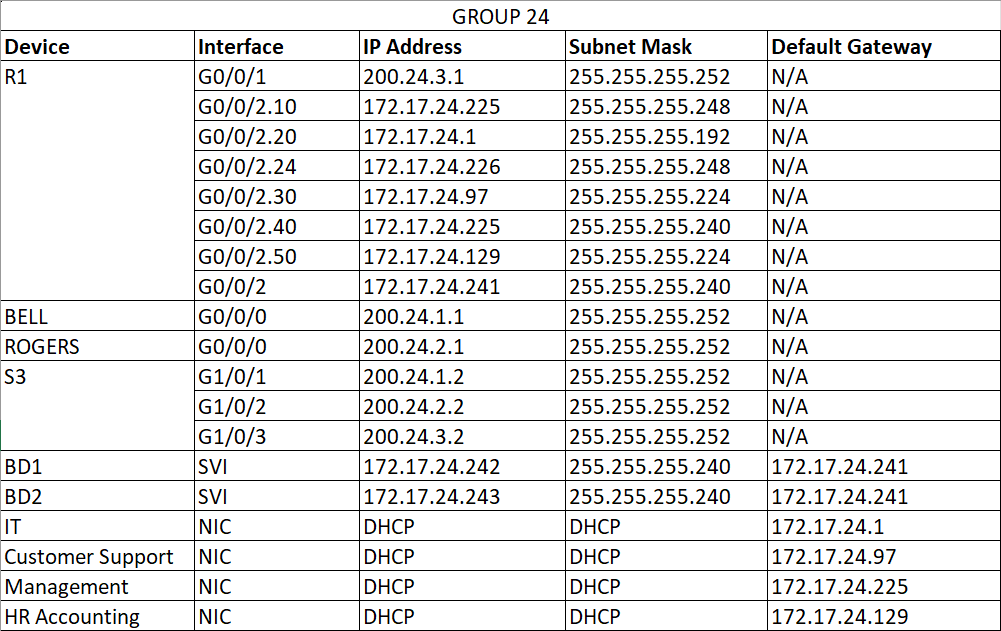
Group work - My Data Communications II class focused heavily on switching concepts like STP and VLANS, and this project was my first tangible experience using lab equipment to build real enterprise networks. This project was particularly challenging because it included an understanding of basic routing to complete.
What I Learned
This project was complicated for my skill level at the time. We needed to implement port security, etherchannel between two office buildings and configure a DHCP server. We segmented the network with VLANs and configured dual ISP failover. We made a lot of mistakes in this project, including messing up my addressing table so it didn't work at first, implementing VLANs incorrectly on the wrong interfaces, and my router didn't work for most of the project. However this project taught me to have patience with my work and have a better mental understanding of the overall network schema.
Configuration Samples
interface Port-channel1
 switchport trunk native vlan 24
 switchport trunk allowed vlan 10,20,24,30,40,50
 switchport mode trunk
 switchport nonegotiate
interface GigabitEthernet1/0/2
 switchport trunk native vlan 24
 switchport trunk allowed vlan 10,20,24,30,40,50
 switchport mode trunk
 switchport nonegotiate
 switchport port-security violation protect
 switchport port-security mac-address sticky
 switchport port-security mac-address sticky 38f3.ab13.23b3
 switchport port-security aging time 60
 switchport port-security
 channel-group 1 mode active
interface GigabitEthernet1/0/3
 switchport access vlan 20
 switchport mode access
 switchport nonegotiate
 switchport port-security violation protect
 switchport port-security mac-address sticky
 switchport port-security mac-address sticky 38f3.ab13.23b3
 switchport port-security aging time 60
 switchport port-security
 channel-group 1 mode active
interface Port-channel1
 switchport trunk native vlan 24
 switchport trunk allowed vlan 10,20,24,30,40,50
 switchport mode trunk
 switchport nonegotiate
interface GigabitEthernet1/0/2
 switchport trunk native vlan 24
 switchport trunk allowed vlan 10,20,24,30,40,50
 switchport mode trunk
 switchport nonegotiate
 channel-group 1 mode active
interface GigabitEthernet1/0/3
 switchport trunk native vlan 24
 switchport trunk allowed vlan 10,20,24,30,40,50
 switchport mode trunk
 switchport nonegotiate
 channel-group 1 mode active
Screenshots
Site-to-Site over GRE Tunnel - Data Communications III
NetworkingOverview
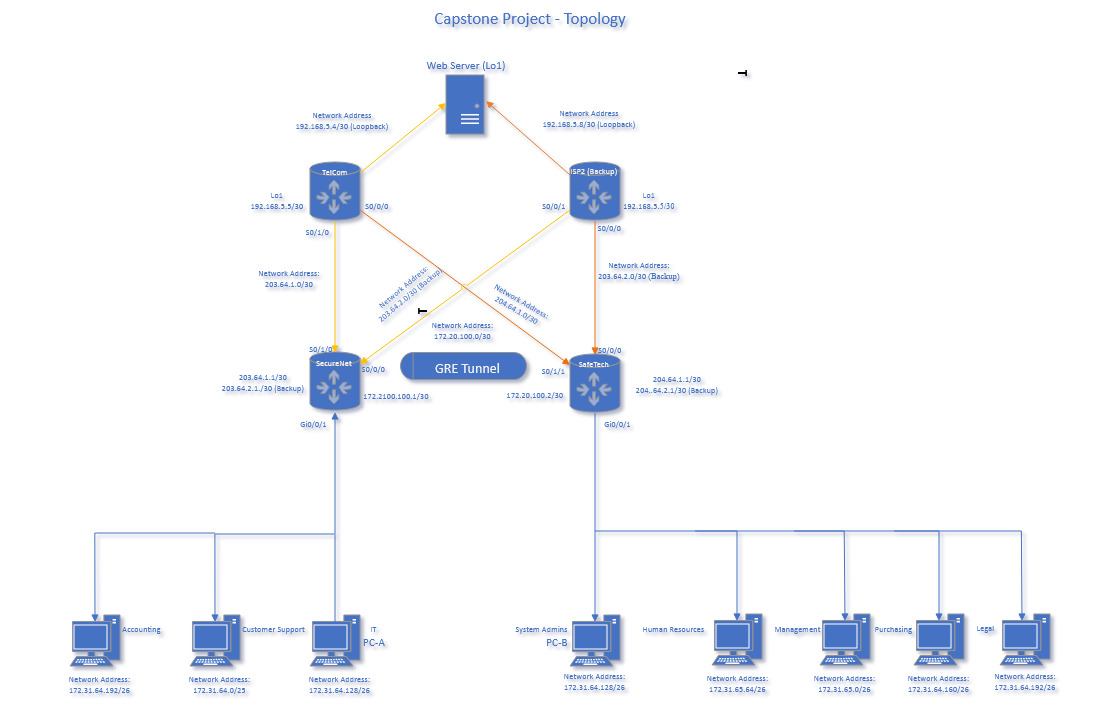
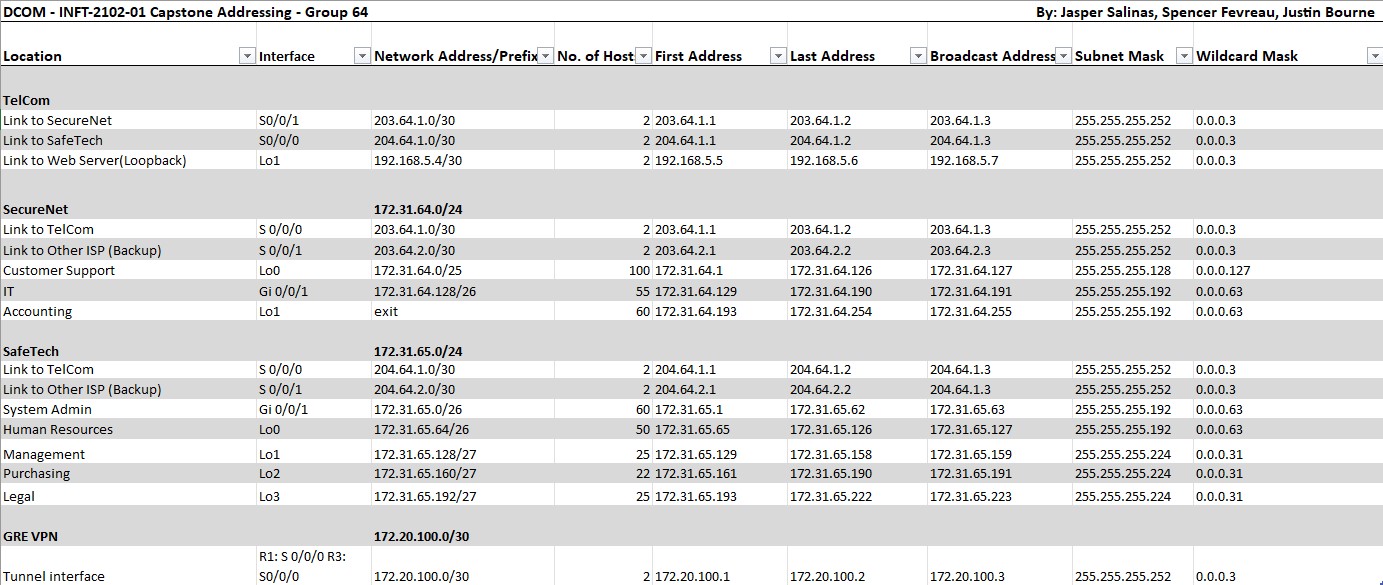
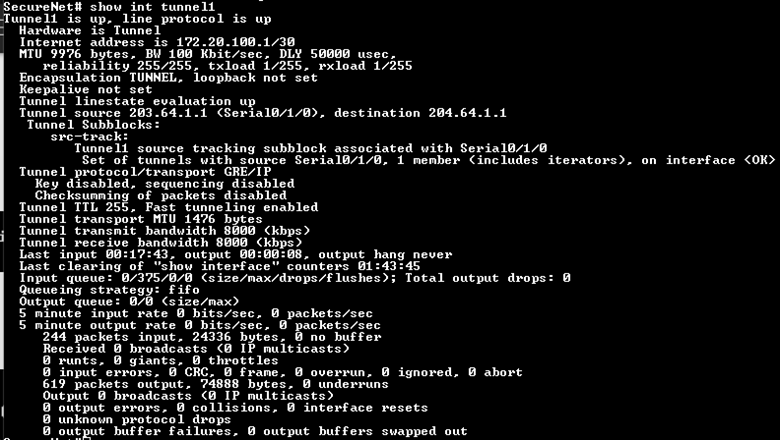
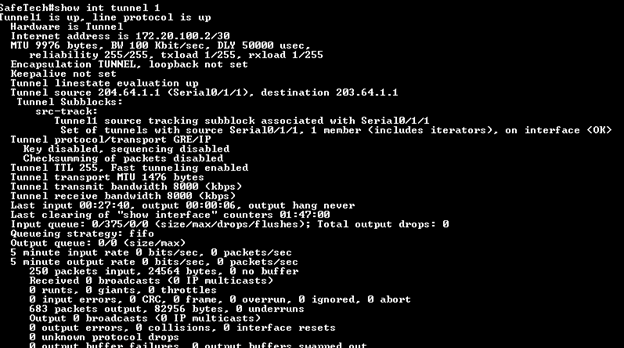
Group work - My group was tasked with designing a network with two sites connected through an ISP router with encrypted communications using a GRE tunnel, implementing OSPF, configuring ACLs to secure the network and implementing NAT. My chosen implementation involved three routers; SecureNet, SafeTech and TelCom, and a fourth router was provisioned but not configured called ISP2 as a backup option for the company. A loopback address was configured on the ISP router to simulate a remote webserver endpoint.
What I Learned
Utilizing the GRE tunnel and ACL rules for secure connections, this project taught lessons about efficient address usage, and verifying correct information. Several times my GRE tunnel ended up in a state where it was quasi-working, where each endpoint could contact each other but nobody could each the web server. These sorts of technical troubleshooting processes have taught me a lot about persistence.
Screenshots
Enterprise PBX Environment - Unified Communications
NetworkingOverview
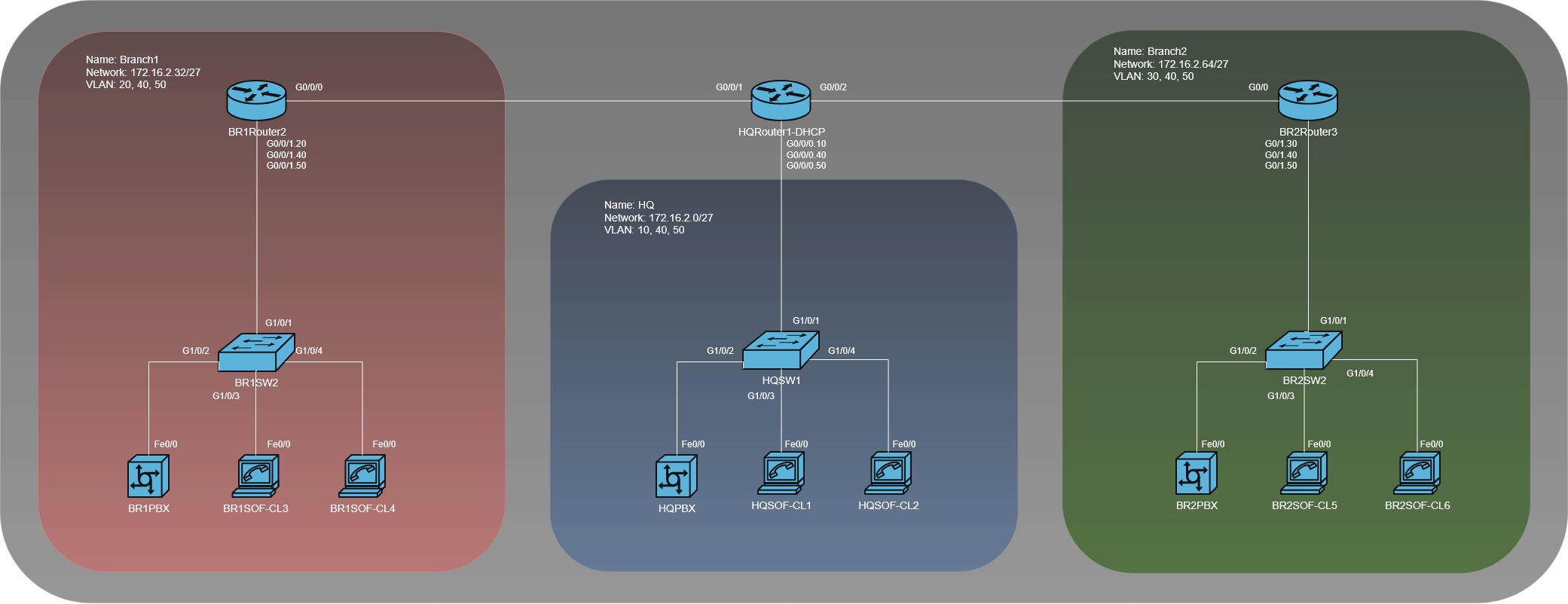
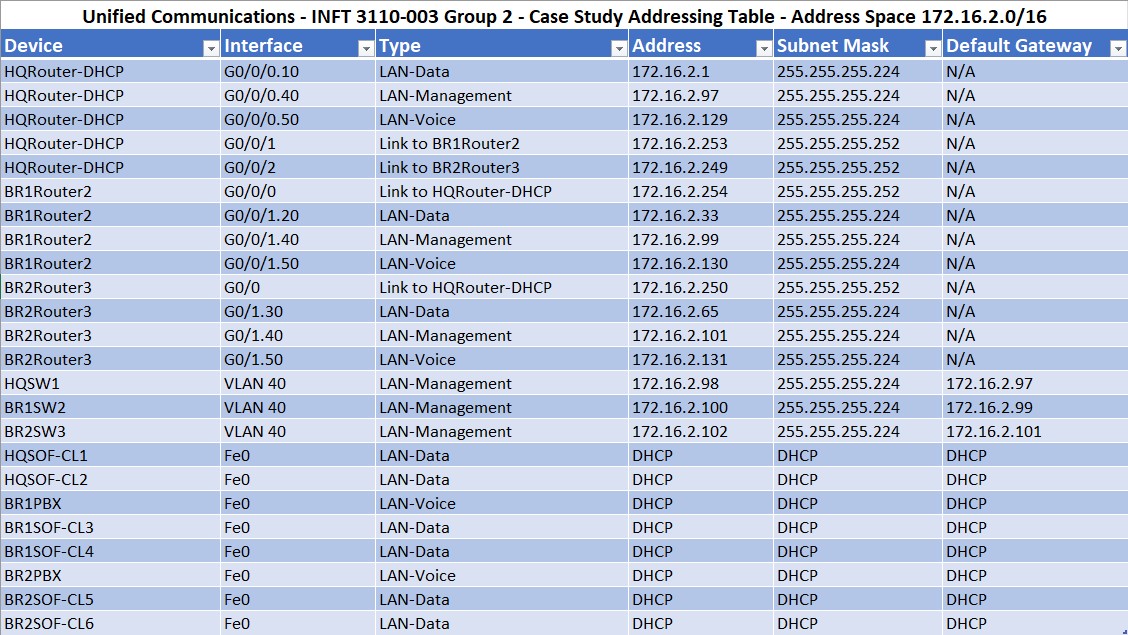
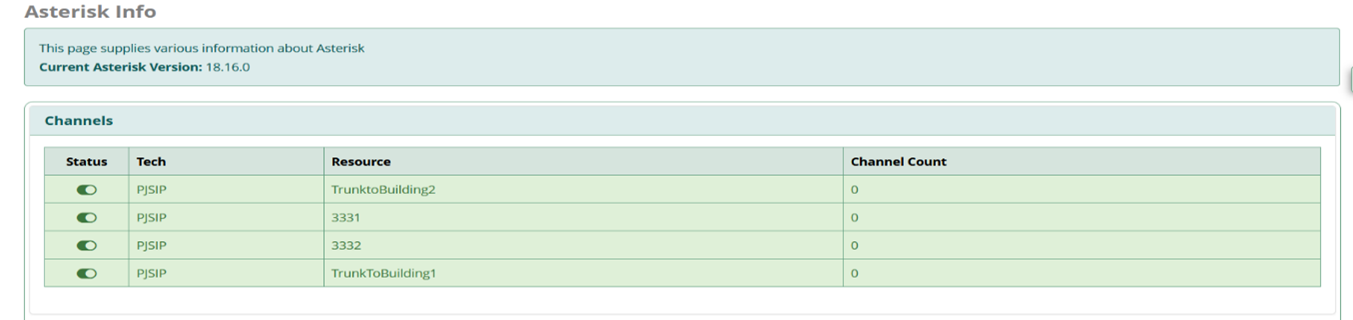
Group work - Throughout this VoIP course my group explored configuring PBX servers and calling through them using SIP trunking and dial peers. The main objective was meeting an enterprise business need for a multi-site VoIP system. The two branch offices were connected via the Headquarters router and each site had it's own PBX server to serve clients locally, a SIP trunk was configured to allow inter-PBX calls. Each site was configured with two Linphone softphones and Cisco IP phones for testing.
What I Learned
FreePBX OS has quite a learning curve to it, and when combining three PBX instances together across a network it can introduce some issues. Linphones would register to the wrong instances, or DHCP would not be functioning however after correcting some minor issues with my configuration my design held up to the challenge presented and all phones could contact one another from any PBX.
Screenshots

Firewall Configuration for SMB - Security I
SecurityOverview
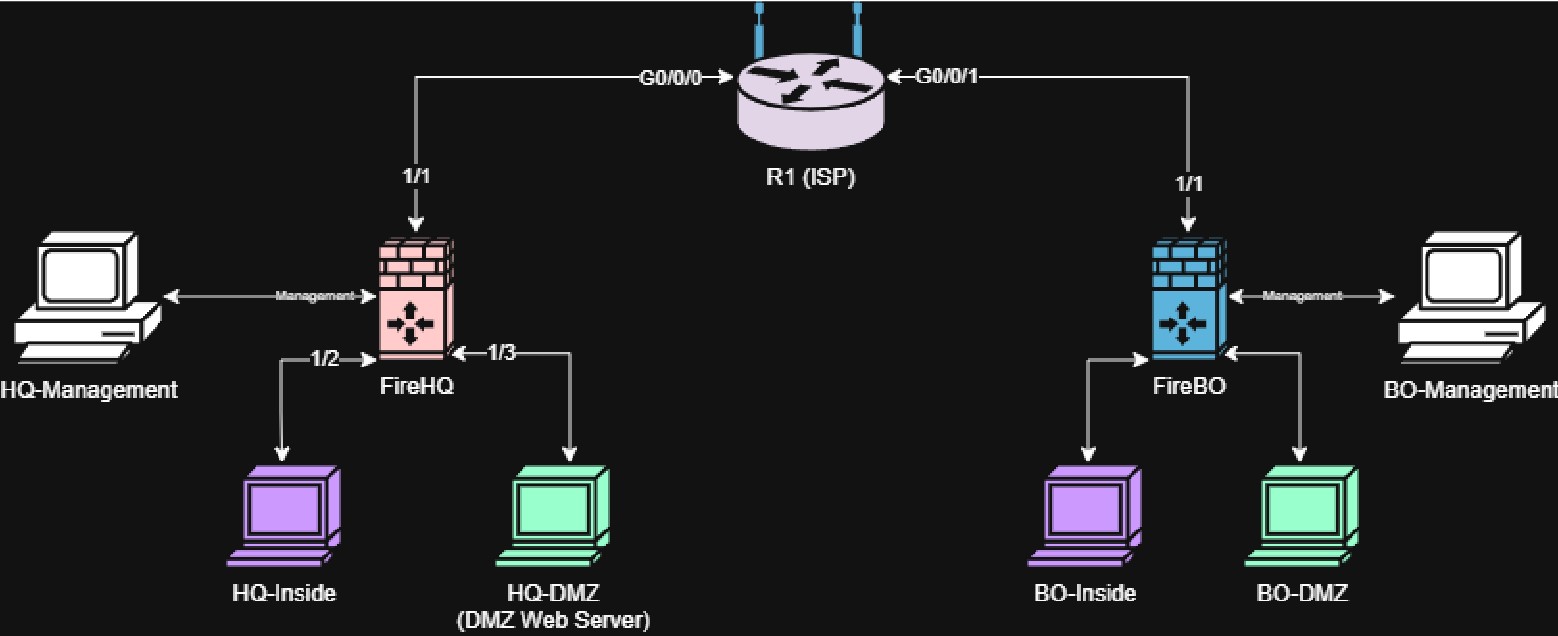
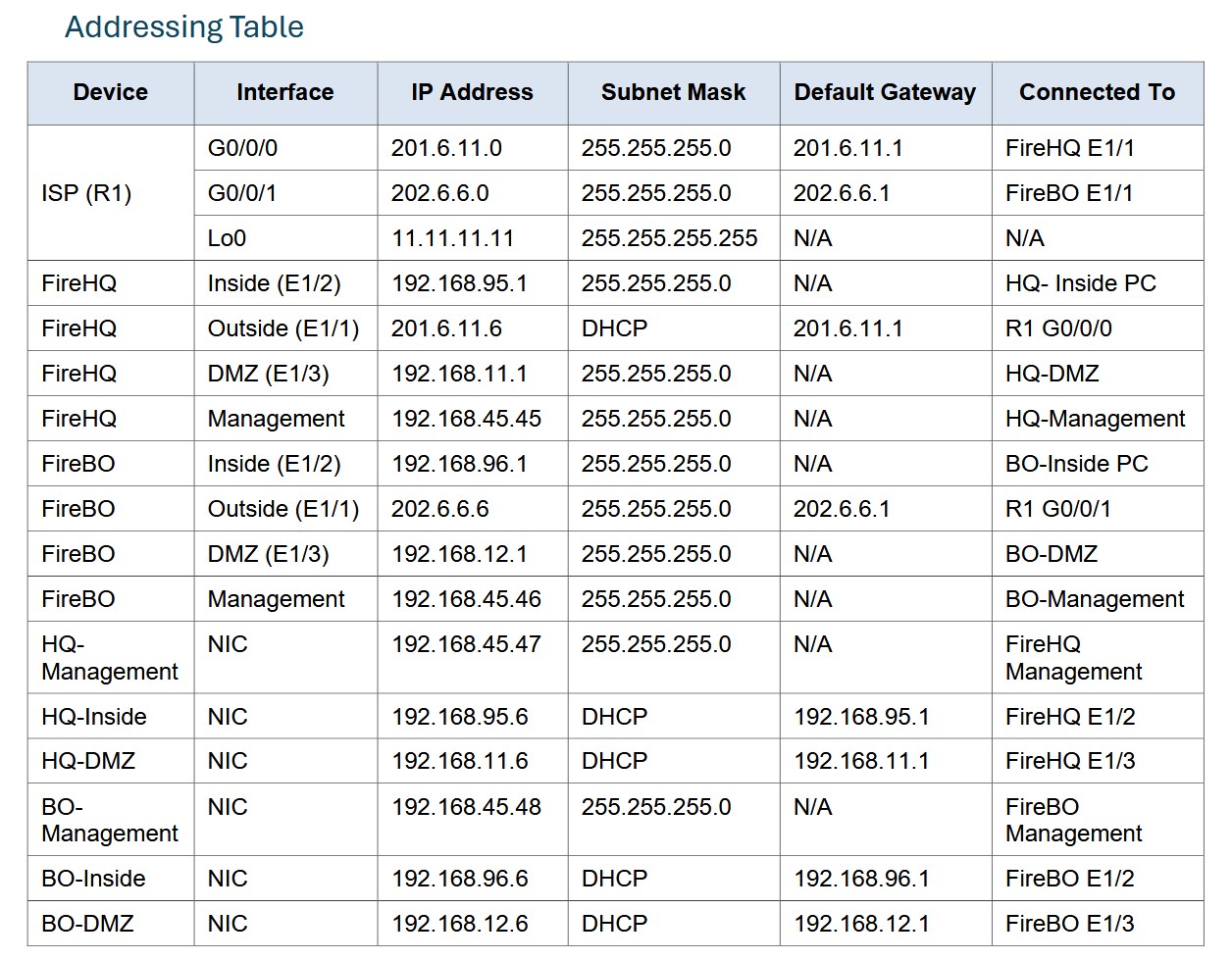
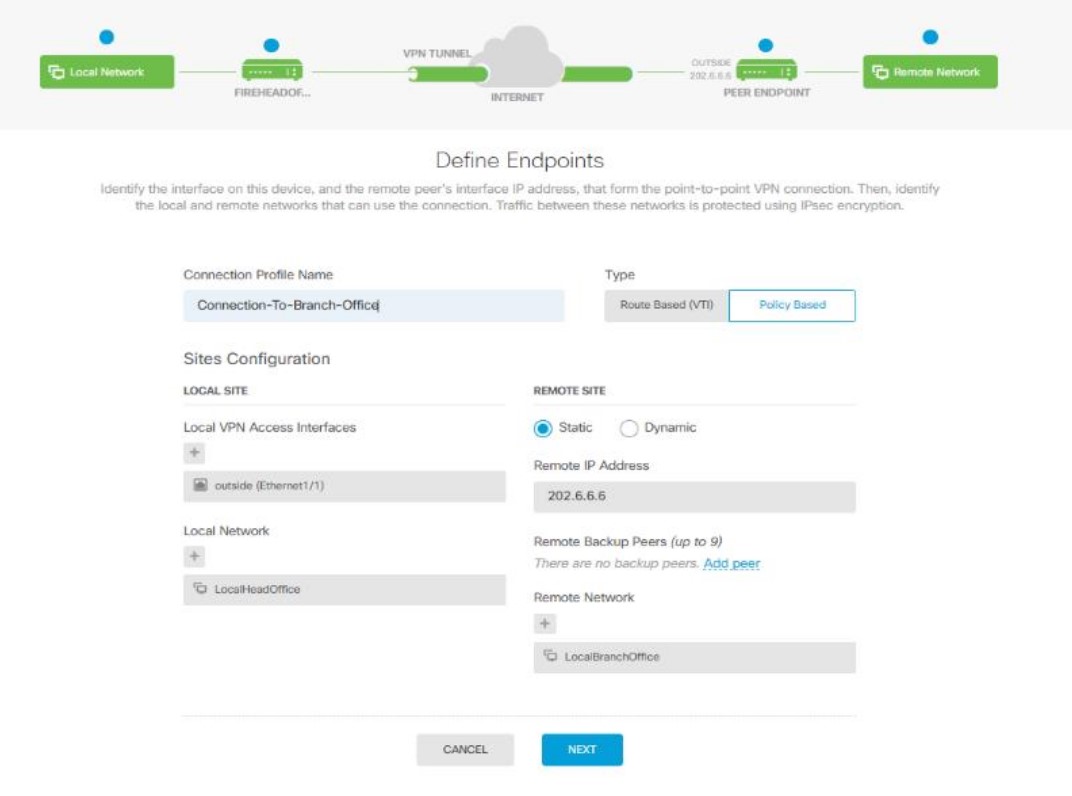
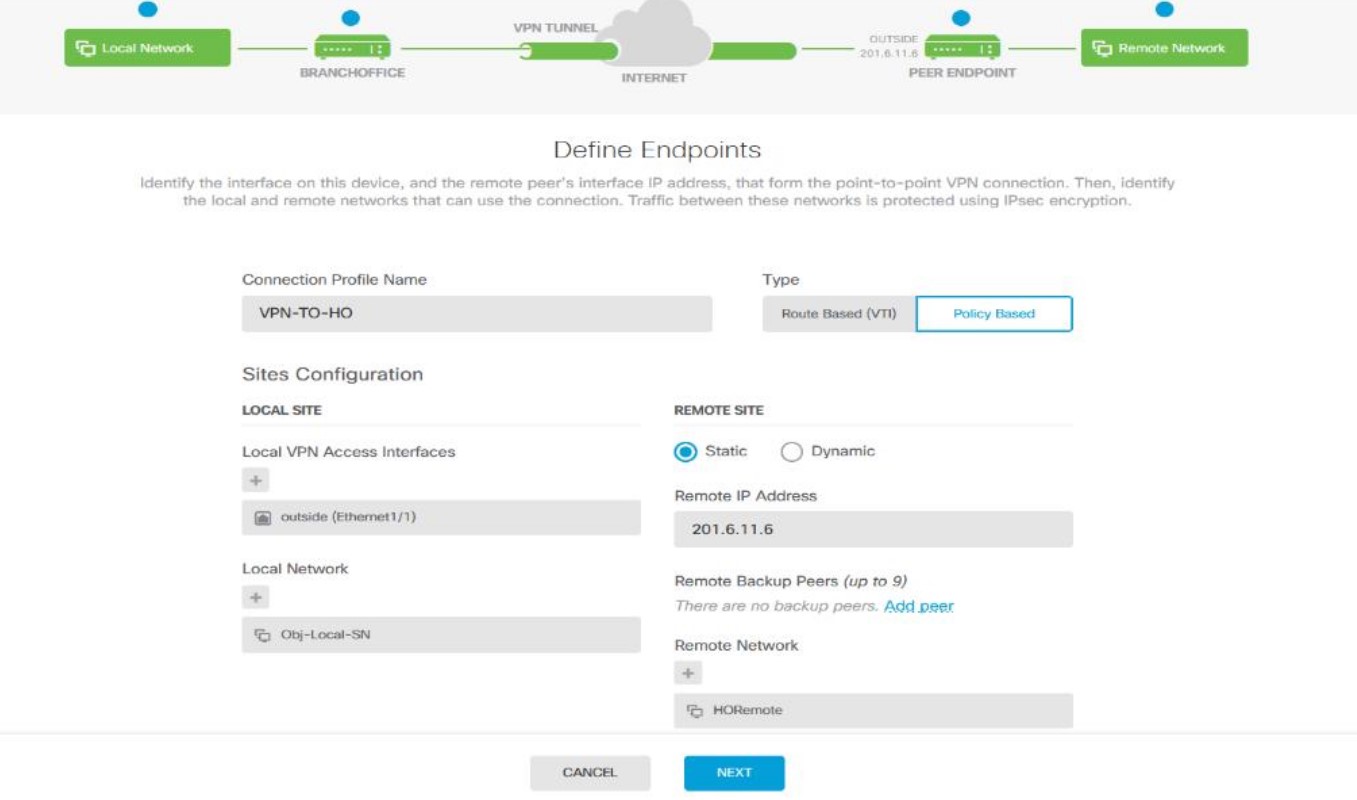
Group work - A small business called Mastermind IT Services requires a site-to-site IPSec VPN for their business operations. This VPN was implemented using Cisco Firepower 1010 devices on a custom network built for MITS. Four endpoints were used to verify end-to-end connectivity and test the DMZ functionality required by the company.
What I Learned
Using the Cisco Firepower devices, I learned to configure security groups, security zones and NAT rules alongside reinforcing existing concepts for access control lists and DMZ isolation. The web server in this case proved interesting as because my Firepower was using a fake ISP stand-in with a loopback at the other end to simulate my backend, it was looking for updates to rules. We found out that sometimes in a lab environment, the best update mode is off.
Screenshots
Enterprise AD Environment - Network Administration I
Systems AdministrationOverview
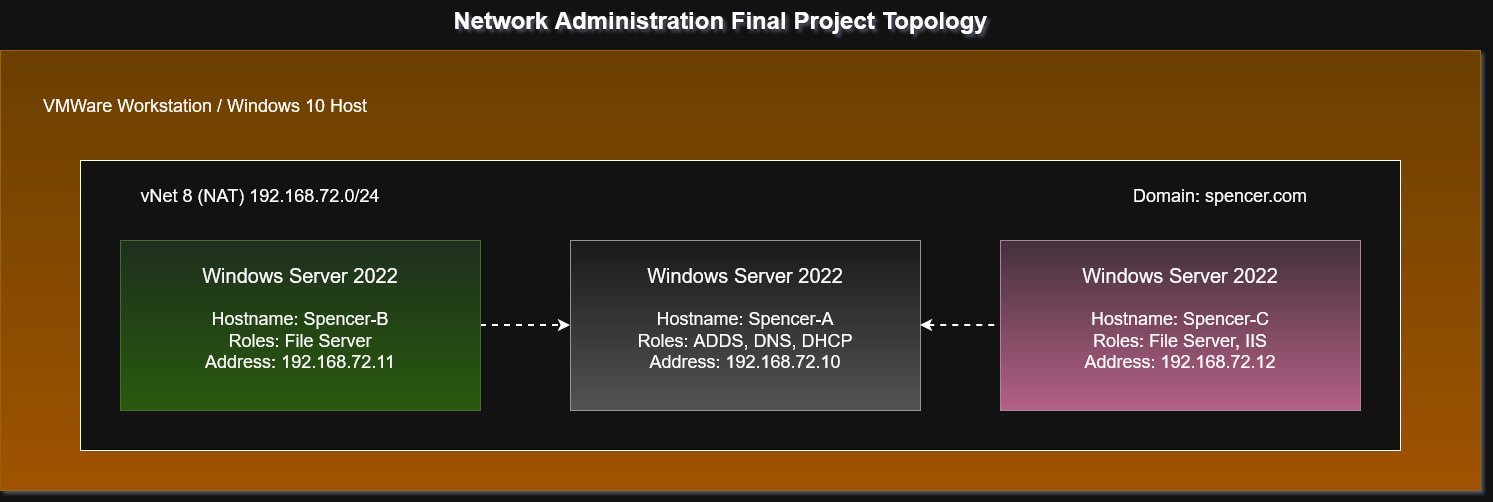
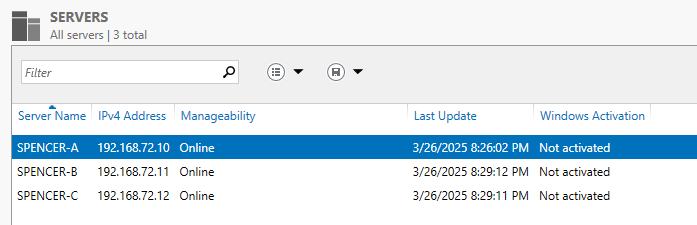
For this project I was tasked with creating a simple Active Directory domain using Windows Server 2022 GUI. I configured spencer.com, added some users (including a non root admin user) and created a nested network fileshare with NTFS permissions configured. On one of the servers IIS was configured along with an iSCSI virtual disk for easy sharing across the network. On the domain controller, DNS and DHCP roles were configured.
What I Learned
Many existing concepts were reinforced with continual good practice, such as configuring a non root admin user, file share permissions, and Windows Server ADDS and IIS configuration. During this particular project, my VMWare vNet corrupted and needed to be reset which was a learning experience unto itself.
Screenshots
Administering and Monitoring ADDS - Network Administration II
Systems AdministrationOverview
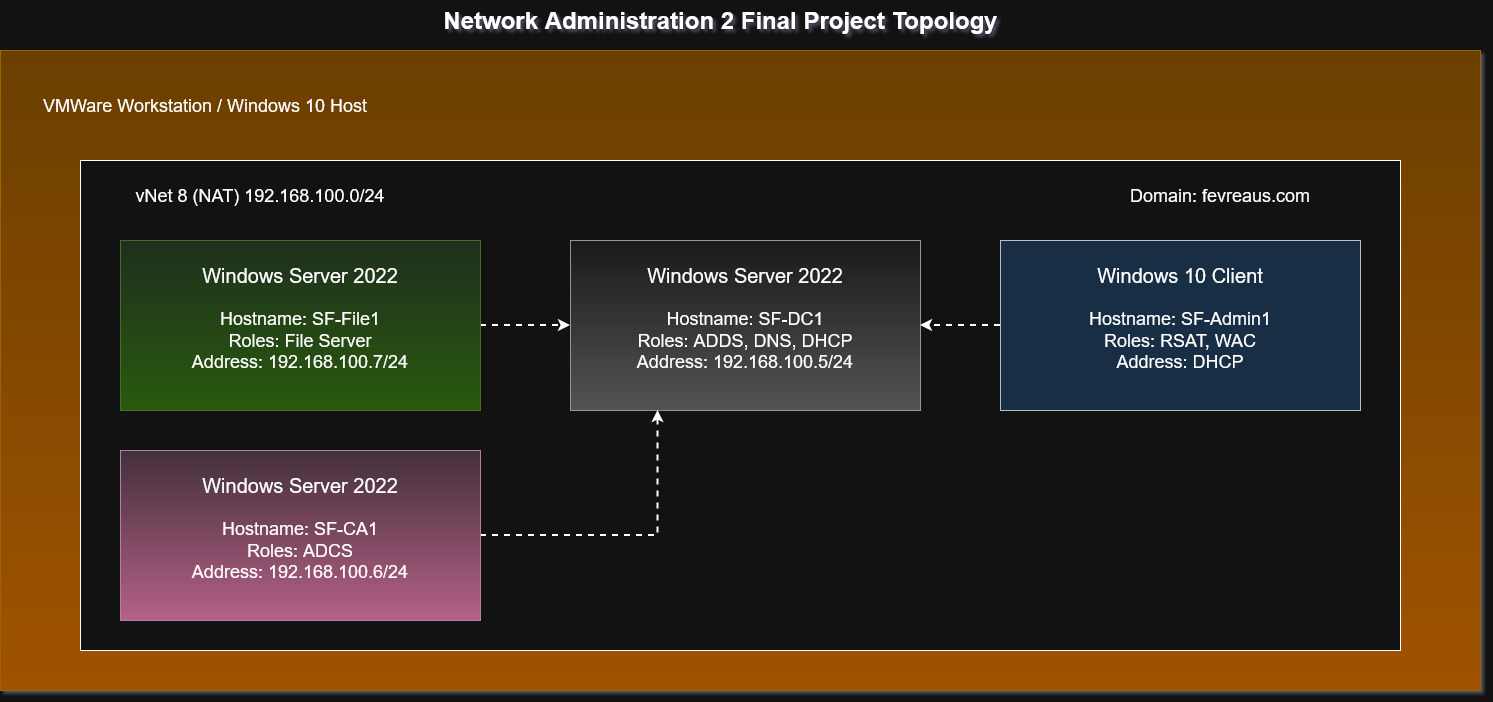
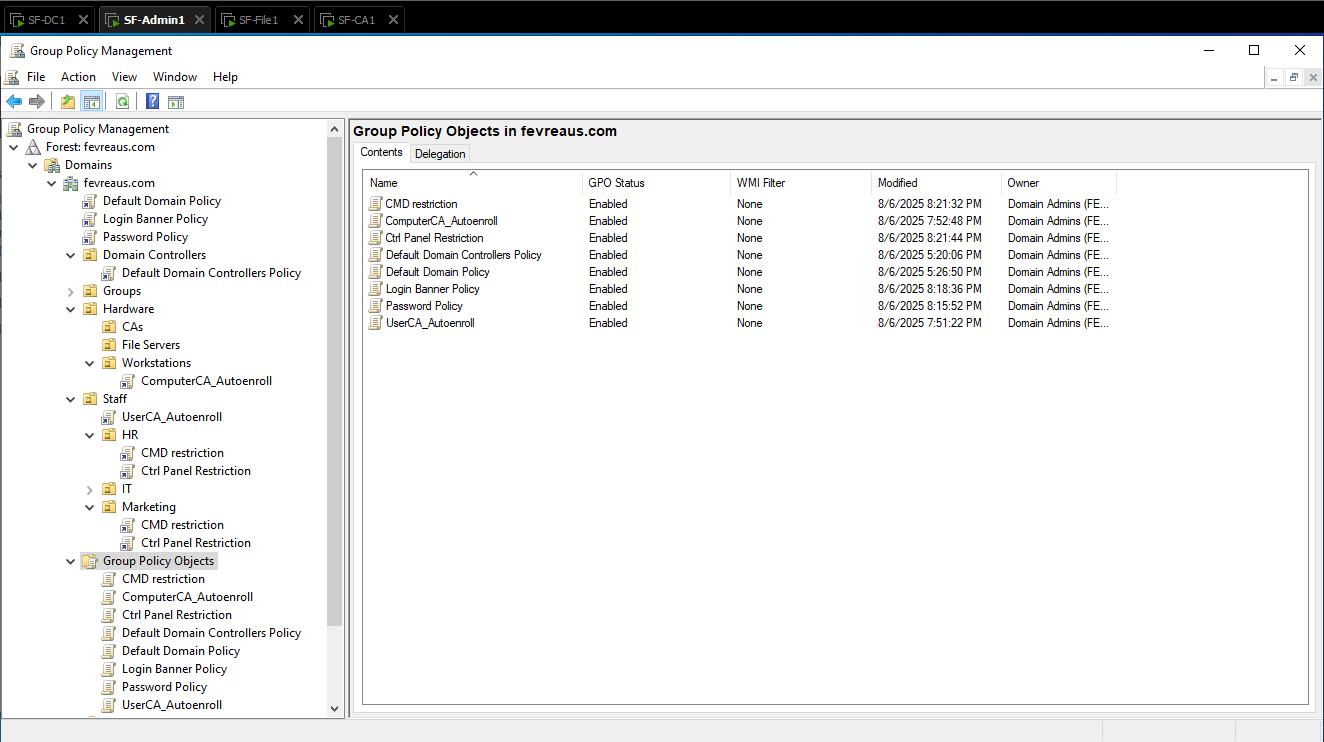
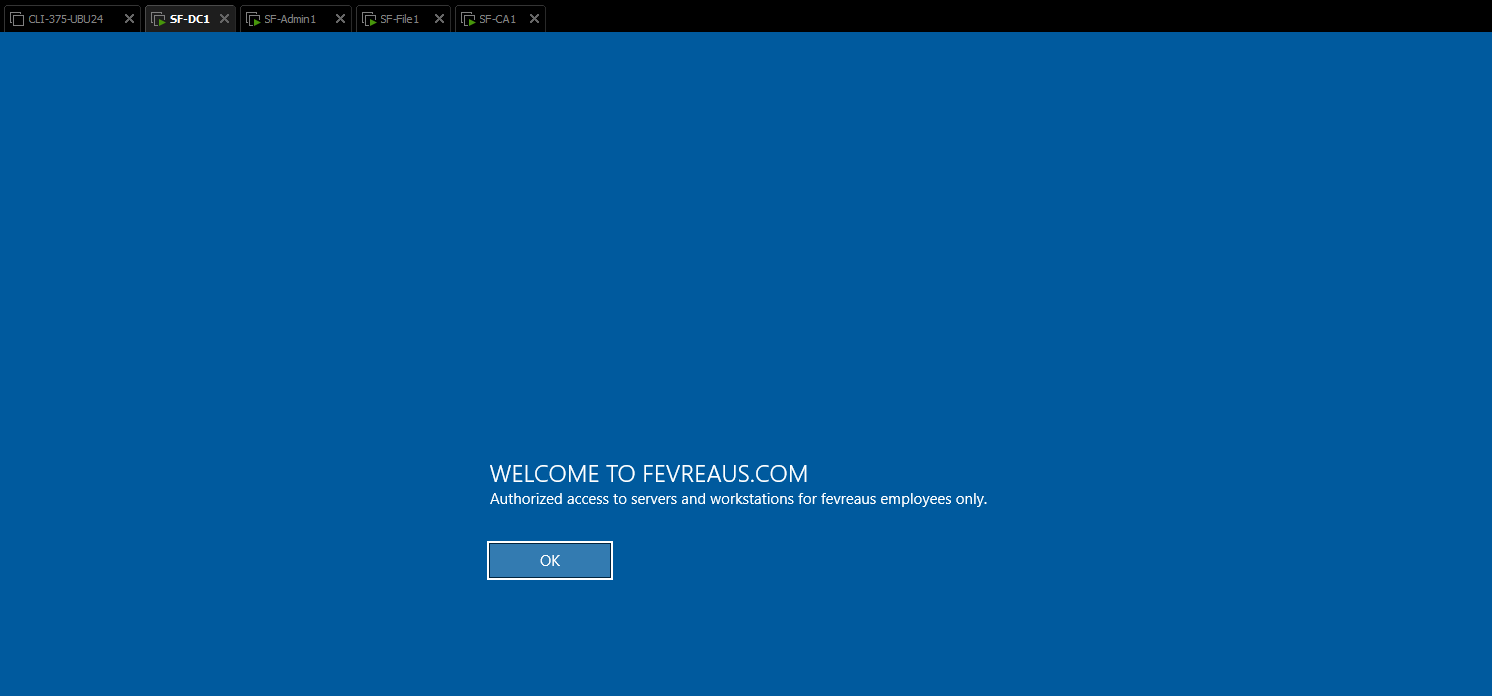
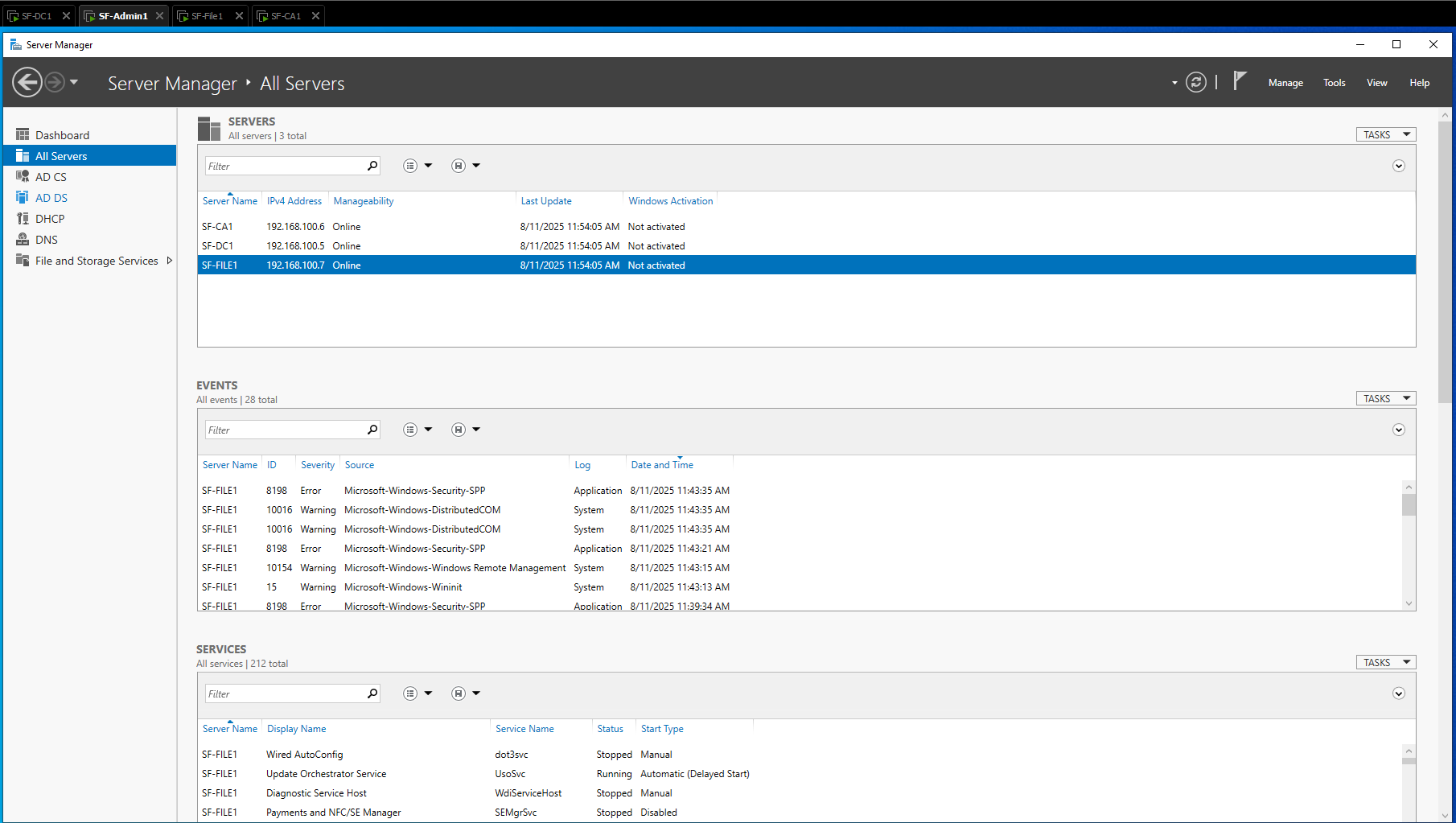
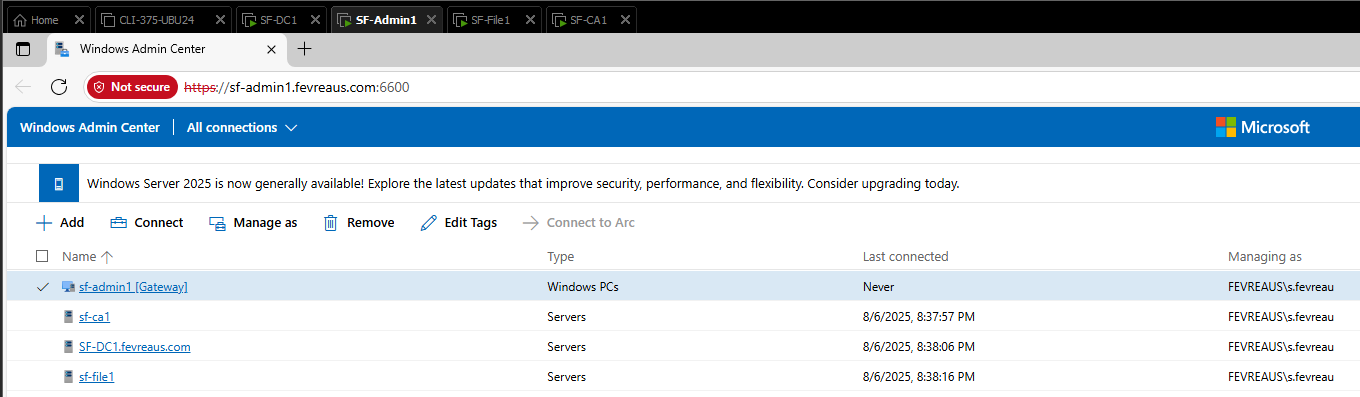
A basic network was built and used as a baseline for GPO configurations to be tested, certificates to be deployed, monitored by remote tools like Windows Admin Centre and RSAT. Disk quotas and data deduplication were configured on NTFS file shares for company use. Four VMs would be used for this project. Three would be servers with the ADDS, DNS, DHCP, ADCS and File Server roles, with an admin workstation added for remote adminisitration.
What I Learned
Windows Server ADCS can be difficult to use, but eventually I got the hang of template deployment. Core skills were refined further, adding complexity with RSAT and WAC tool.s Though this project was run on VMWare workstation, students were prevented from using the console to access servers, instead after post installation tasks were performed remote administration was configured.
Screenshots
Storage Management - Linux II
Systems AdministrationOverview
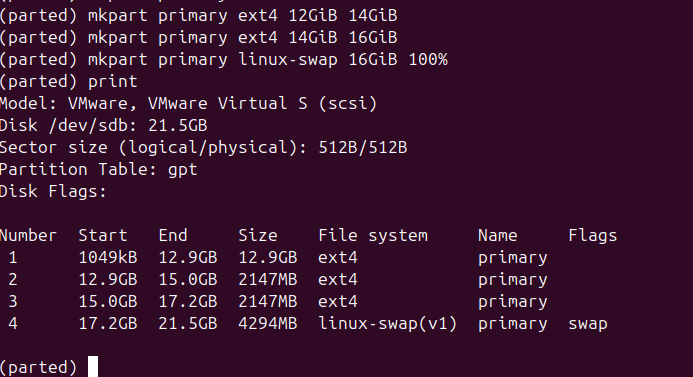
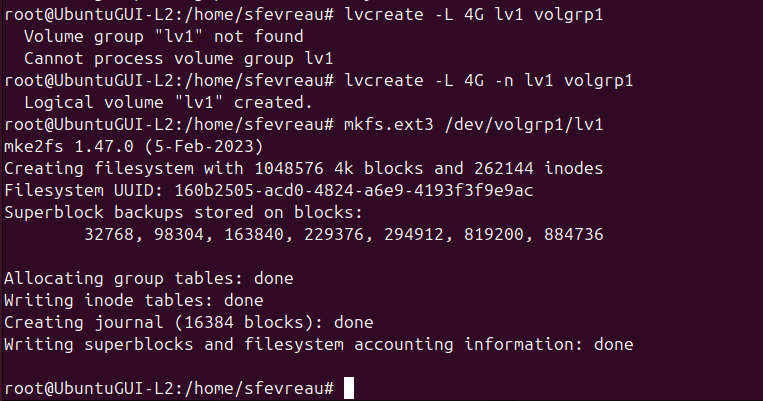
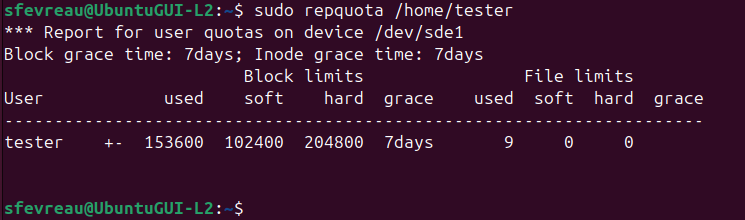
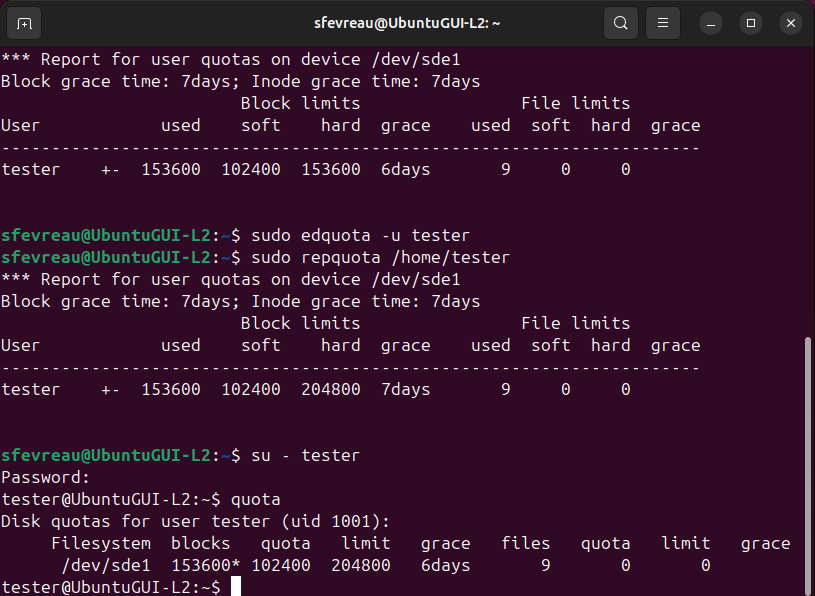
In this project, a storage layout was planned manually for later LVM implementation. A second storage drive was added repliicating the first to combine the two drives using LVM. User disk quotas were used to ensure compliance with write policy. Implementing the layout, each drive was about 20 GiB and was mounted before the LVM was created.
What I Learned
This specific project took a bit of practice on different vmdisks but learning to correctly partition and plan a harddisk layout has allowed me to apply that thinking to other OS like Windows, and to keep my storage layout in mind including file systems. In this project, I decided to go with 4 partitions, with 3 dedicated to file needs and 1 for swap.
Screenshots

Failover Clustering - Virtualization
Systems AdministrationOverview
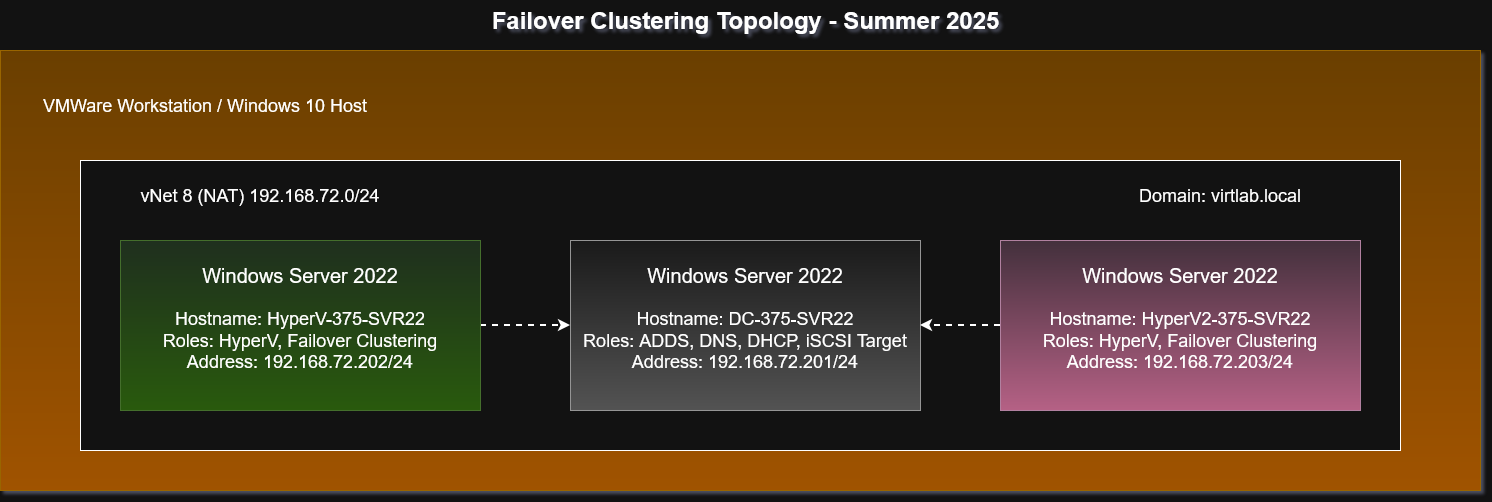
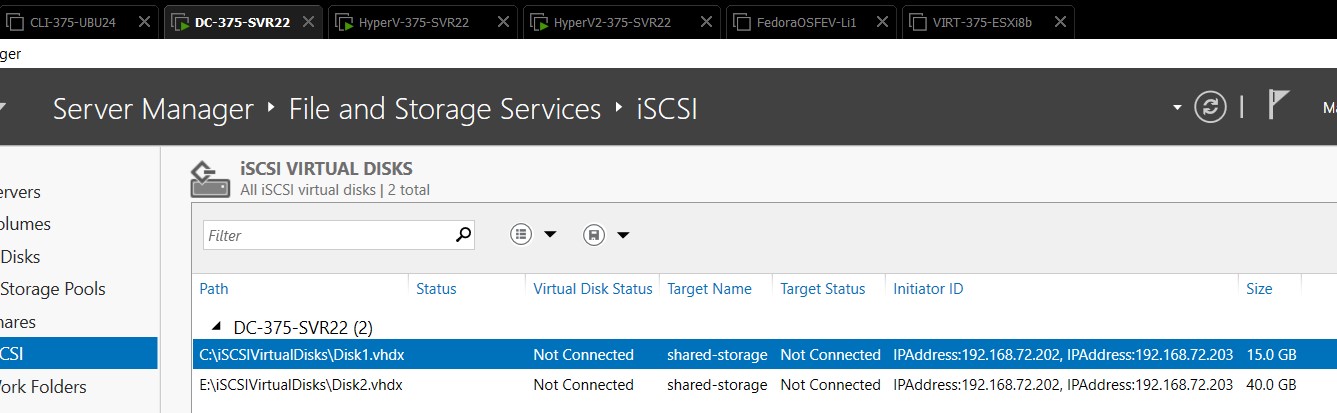
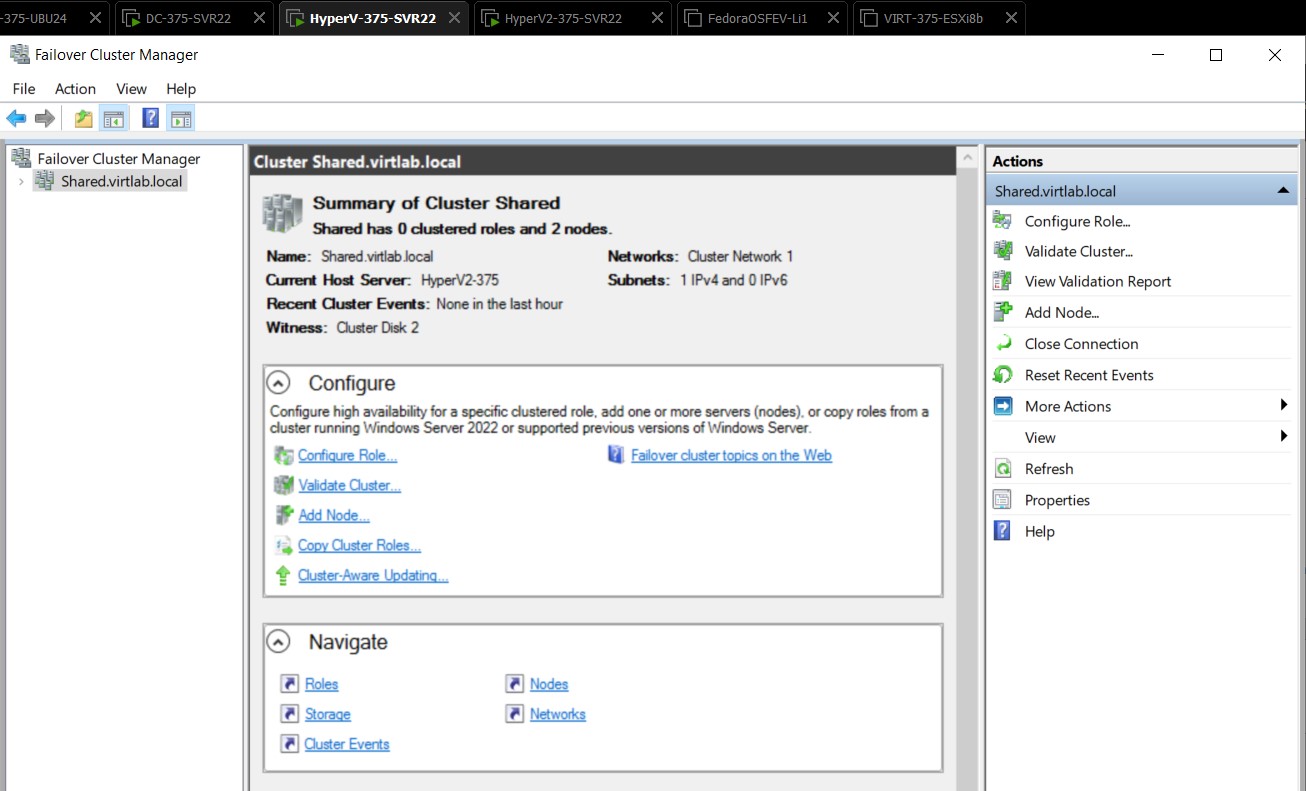
Using a small network created locally on my VMWare workstation hosts, I needed to create a failover cluster using Windows Server 2022 and a HyperV environment. An ADDS environment was used in the background to provide DNS services; needed for HyperV and two HyperV servers were used as access nodes. A drive was configured on the domain controller which would act as an iSCSI target for the SAN used to host ISO images and vmdisks for the HyperV servers. Features such as multipath I/O, and failover clustering were installed on both HyperV servers.
What I Learned
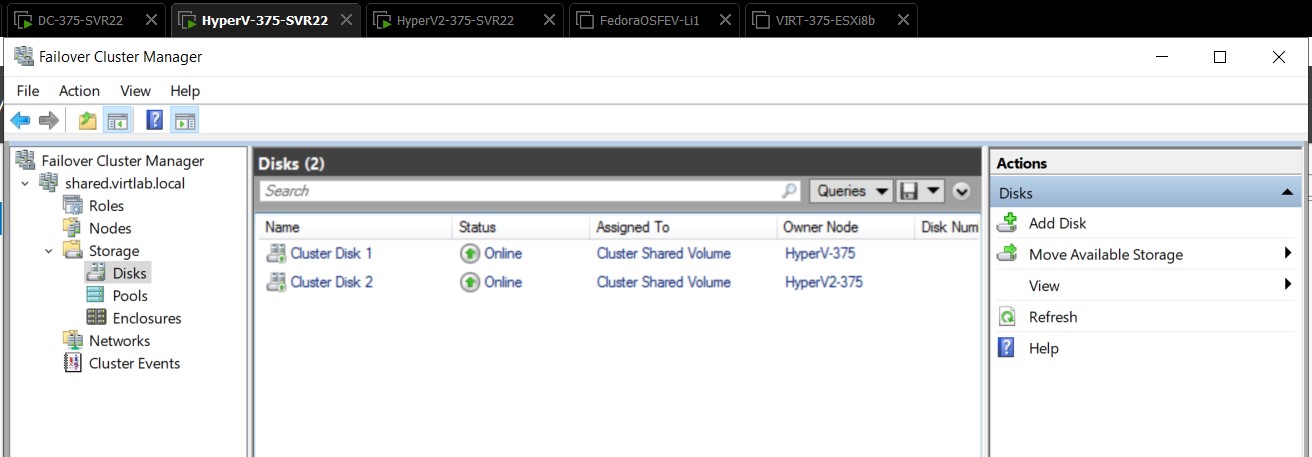
Virtualization technology can be finnicky and in this project the most issues I experienced were due to the Windows environment not playing nicely with running nested virtualization roles. I overcame these issues with careful workarounds, some involving bypassing core isolation to make it function. Once the servers were functional with the HyperV roles it was a matter of creating the SAN which was important for the cluster, and bringing the volumes online and adding them to the failover cluster. Most of these tasks were GUI related, but having hands on experience with these virtualization tools was invaluable.
Screenshots
HyperV Replica - Virtualization
Systems AdministrationOverview
Group work - HyperV Replica is a feature of Windows Server HyperV which allows for the replication of virtual machines across the intranet or internet. Replica is primarily a disaster recovery tool used for quick response to workload disruption, and in this project we were tasked with demonstrating a live migration of a HyperV VM from one simulated site to another using my lab LAN. This allowed for an emulated network layer between my VMWare Workstation clients to provide some friction for the replica.
What I Learned
HyperV Replica was straightforward to configure. The primary focus of this project was the research about the protocols and process involved, specifically during the live migration we gained an appreciation for the complexity required to move operating systems with ease. Most of my learning was done in the configuration steps, where we configured multi-path I/O and Replica. We also learned that should the VM experience a failure an administrator would need to intervene to manually invoke the replication, which could be unacceptable downtime in some circumstances. Features like High Availability would be better suited to address that need.
Screenshots
Web & Backup Server - Linux III
Systems AdministrationOverview
Pulling together my scripting and LAMP experience from previous assignments, this project required the configuration of automatic backups to a backup server using a SAMBA shared RAID6 array built from three sample devices. Using the web server, a small status page was built to display the output from this array, allowing for an administrator to keep constant tabs on the array. A script was also created to automate this backup task, and a cron job was used to automate the execution of the script each dayin the evening.
What I Learned
This challenge pulled together numerous elements from my Linux journey, from configuring RAID arrays to ensure that device failure does not result in lost data to some basic web design to build the web page. Each step of the server stack was visible with this challenge, and these are tasks which I now replicate on my home network to keep them as low risk as possible.
Configuration Samples
#!/bin/bash

# Export log file
LOG="/var/log/sysm.log"

exec >> "$LOG"
exec 2>&1

# Finds logs to delete
find /tmp -type f -atime +7 -delete

# Find updates
apt update
apt upgrade -y

echo "Maintenance completed at $(date)"
echo "Begin RSync replica to backup server..."
echo "Backup /SHARE6/"
echo "Destination share@192.168.100.12:/SHARE6/"
echo ""
/usr/bin/rsync -avz --delete -e 'ssh -p 2222' /SHARE6/ share@192.168.100.12:/SHARE6/
CloudFormation Blog Deployment - Cloud Fundamentals
CloudOverview
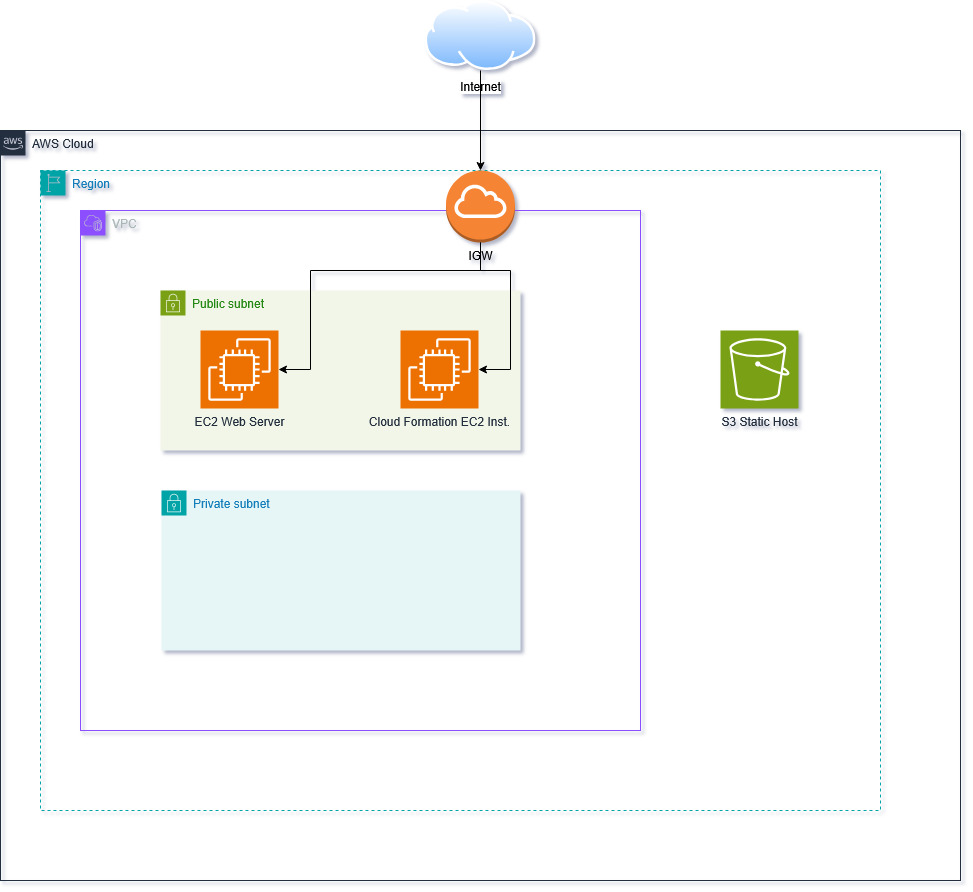
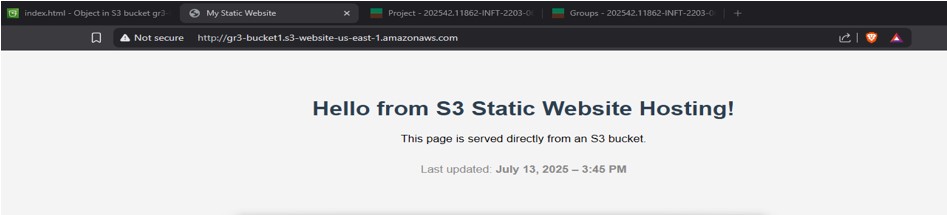
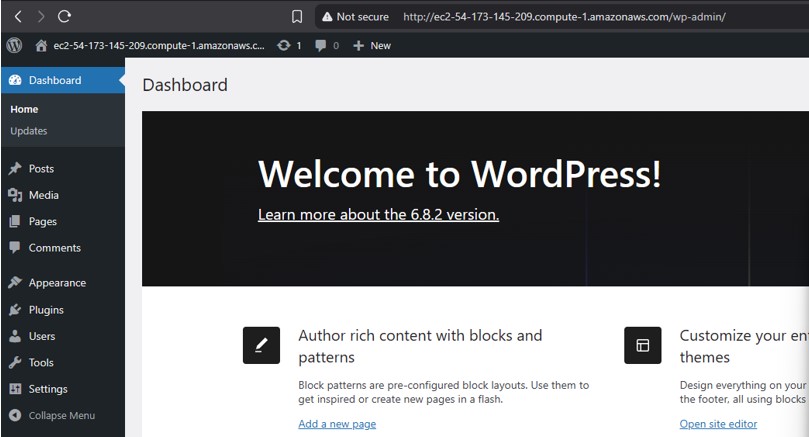
Group work - Using a sandbox environment, we were tasked with configuring a VPC, web server, S3 static website hosting, and used CloudFormation to deploy Wordpress on an EC2 instance.
What I Learned
Many of these tasks were review from previous labs in this course, however this was one of the first times that I used AWS systems without the guardrails of a formal lab environment. The lab included several elements which are cloud deployment fundamentals such as VPC configuration, and S3 static hosting and we used instructor provided files to deploy my Wordpress stack.
Screenshots
Post-Distaster Cloud Migration - Cloud Architect
CloudOverview
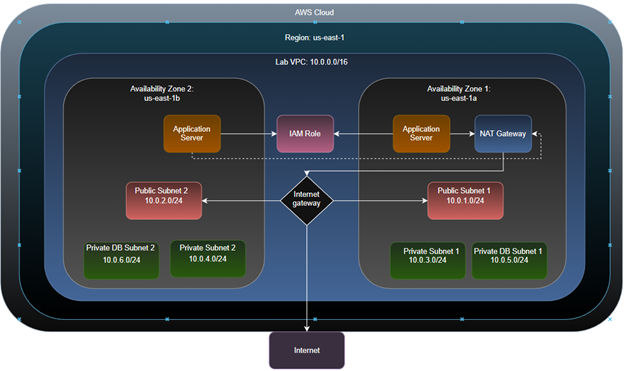
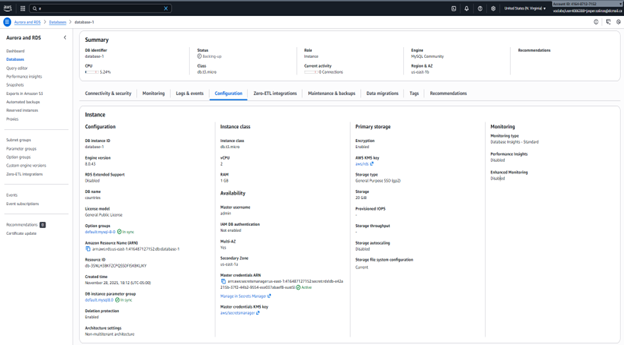
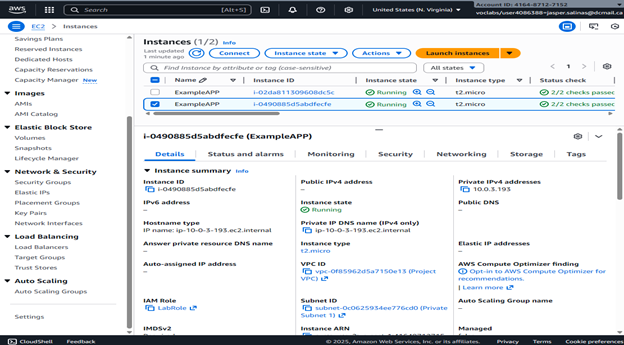
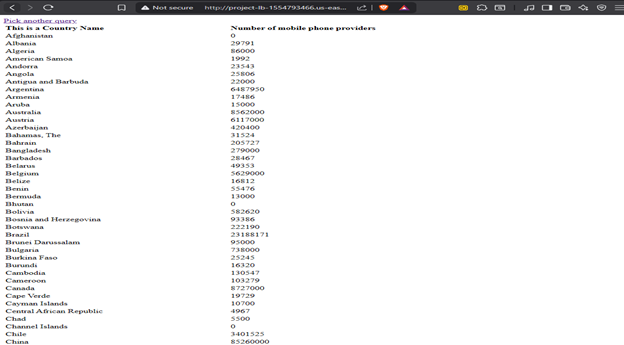
Group work - After a catastrophic fire, our Example Social Research Organization was left with outdated legacy on-premesis hardware and researchers across the globe to serve. My challenge was to find out the resources this hypothetical company would need to rebuild their infrastructure after such an event, and how to best utilize cloud services to replace their existing legacy hardware. It was decided that the AWS migration would mainly include an RDS migration to improve their database first, created auto-scaling EC2 instances to meet their compute needs, using load balancers to keep traffic steady between the newly provisioned services.
What I Learned
This scenario based challenge was straightforward for our group; with the clear business needs presented by the Example organization translating nearly perfectly into each AWS service we chose. I leveraged my understanding of the AWS ecosystem to plan out each of the services which would be required, and then to properly configure them to the needs of the organization.
Screenshots
Automated ADDS Rollout - PowerShell
AutomationOverview
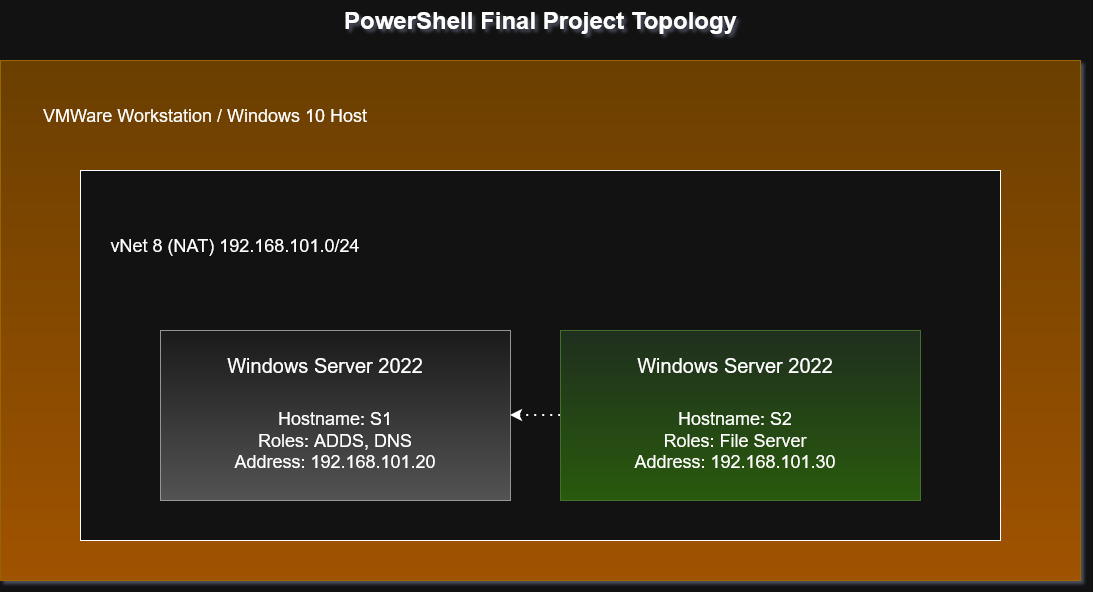
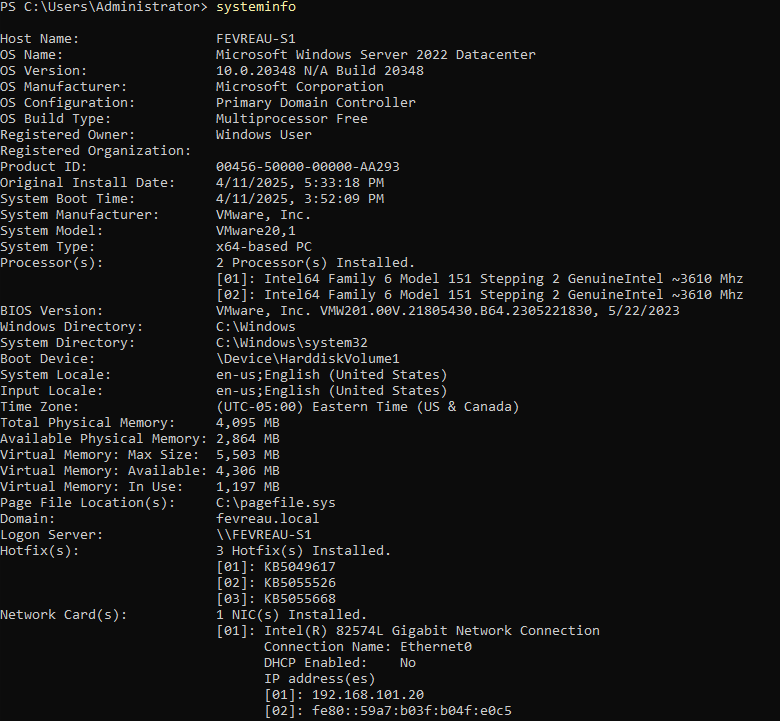
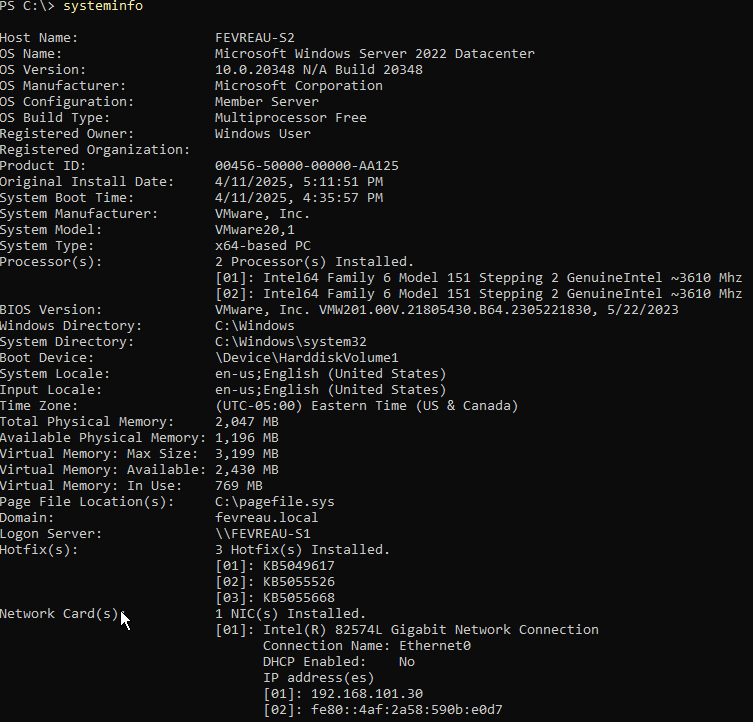
This project was fairly straightforward, and applied basic systems administration principles and the PowerShell used throughout the course to automate the deployment of Windows Active Directory Domain Services using SSH and PowerShell. File shares were created and permissions tested to verify security.
What I Learned
Completing a familiar task using only PowerShell commands reinforced existing understandings of ADDS concepts and allowed me a much better understanding of how the forest is created under the hood. This project also allowed me to create my own ADDS script to automate deployment of these types of servers in the future, greatly increasing efficiency.
Screenshots
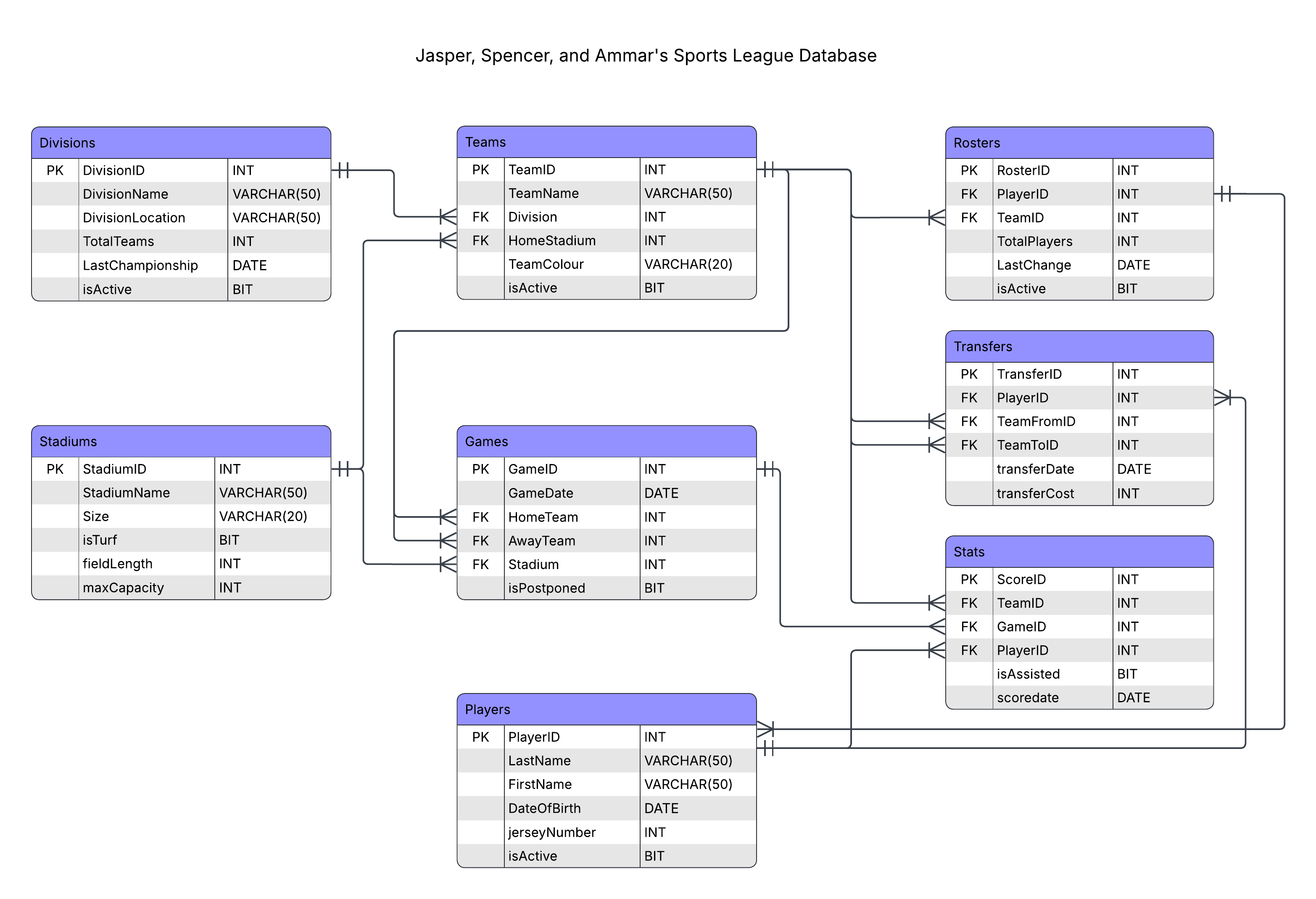
SQL to PostgreSQL Migration - Database Management
DatabasesOverview
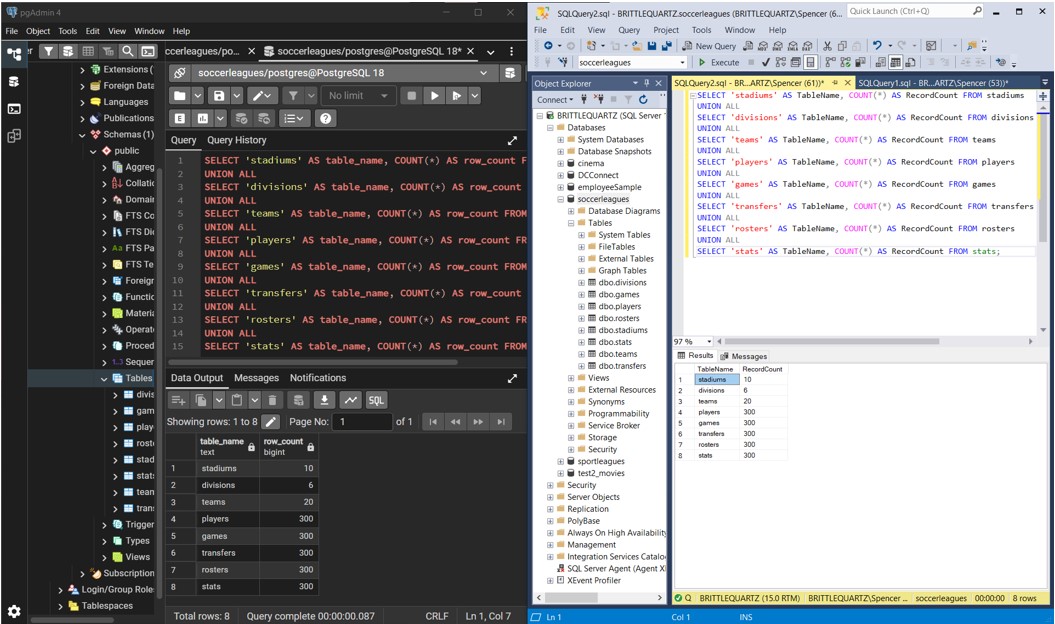
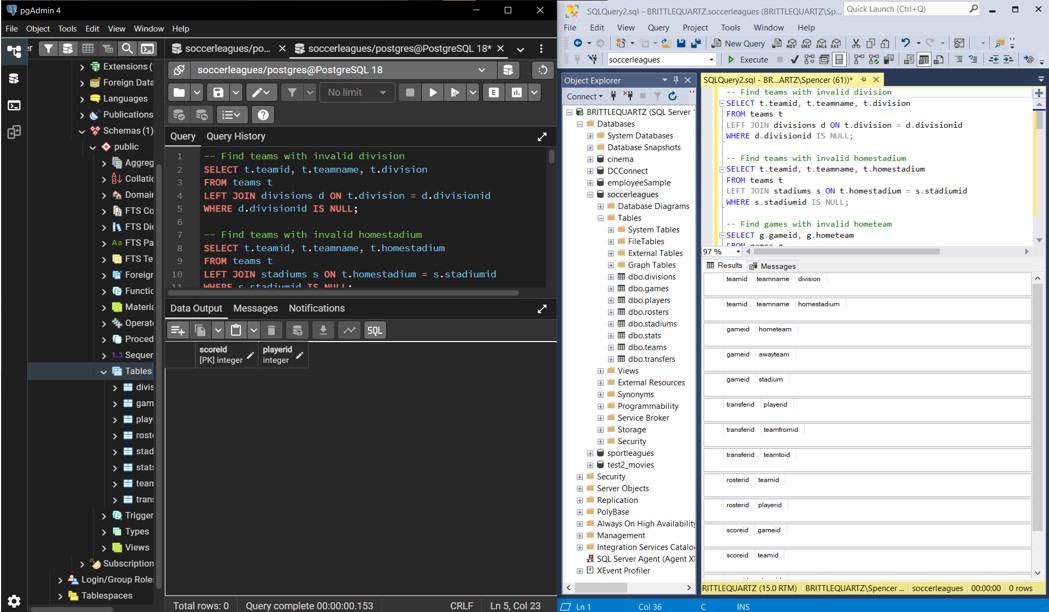
Group work - Migrated a Small Soccer Leagues Database from SQL Server to PostgreSQL, applied syntax conversions and data export/import procedures to transition relational data across database platforms.
What I Learned
Working through this migration exposed some of the practical frictions between database systems. Some of my validation steps failed initially because parts of the data had not been included in the initial export. Persistence was key here, and AI was utilized to help fix some of our foreign key relationship edge cases that needed inclusion.
Configuration Samples
CREATE TABLE stadiums (
stadiumid INT PRIMARY KEY,
     stadiumname VARCHAR(50) NOT NULL,
     size VARCHAR(20) NOT NULL,
     isTurf BIT NOT NULL,
     fieldLength INT NOT NULL,
maxCapacity INT
);
CREATE TABLE stadiums (
 stadiumid SERIAL PRIMARY KEY,
 stadiumname VARCHAR(50) NOT NULL,
 size VARCHAR(20) NOT NULL,
 isTurf BOOLEAN NOT NULL,
 fieldLength INT NOT NULL,
 maxCapacity INT
);
Screenshots
Database Normalization - Database Management
DatabasesOverview
Group work - After creating the initial ERD for the Small Soccer Leagues Database, the database underwent normalization improvements to at least 3NF. After this project, the database schema designed by my group had atomic values, no partial dependencies, and no transitive dependencies.
What I Learned
As my group had not normalzied a database before this project, some of the instructions seemed difficult to follow at first and we initially thought that the schema was perfectly fine. Researching the task further revealed that several changes could be made to improve the normalization of our schema, and once we simplified and changed some of the
Screenshots